
Why Do You Keep Seeing the Same Listings?

Why you keep seeing the same listings — and how to stop wasting time on them
If you regularly browse listings on sites like Amazon, Gumtree, or Ebay, you probably know this feeling. You open the list of offers, start scrolling… and after a moment it feels like you're seeing exactly the same listings as yesterday.

This is not a coincidence. Many platforms work in a way that causes the same listings to regularly reappear in search results. From the platform’s perspective, this increases the chance that someone will eventually click the listing. For someone who is searching for a specific item, however, it usually means wasted time and growing frustration.
Why everything starts looking the same after a few days
There are several reasons why you keep running into the same listings.
First, sellers often refresh their listings. On many platforms, even a small change — for example in the description or price — can make a listing appear high in the search results again.
Second, auction and classifieds platforms try to maximize the number of views. Because of this, recommendation systems sometimes show listings you have already seen, hoping that you will come back to them later.
There is also a simple practical problem: after several days of browsing, it becomes hard to remember which listings you have already seen. When a list contains hundreds of items, it’s easy to lose track.
When does it become frustrating?
At first, it’s a small annoyance. After a few days of browsing, however, it can start to get irritating.
Instead of discovering new listings, you begin to:
- open the same listings for the second or third time
- wonder whether you’ve already seen a particular offer
- waste time scrolling through familiar results
This is especially noticeable when searching for an apartment, a car, or more expensive electronics. In these categories people often go through dozens or even hundreds of listings, and repeated offers quickly start to dominate the results list.
How to organize browsing listings
The simplest way is to introduce some kind of system for marking listings. Even a basic division helps you regain control of the results:
- listings you have already checked
- listings worth reviewing again
- listings you want to skip
The problem is that most platforms don’t provide convenient tools for organizing listings this way. Because of this, many people start writing notes in a separate document, saving links, or leaving dozens of tabs open in the browser.
That works only up to a certain point.
How AuctionMate helps manage listing results
This exact problem is why the AuctionMate browser extension was created.
Instead of trying to remember every auction or listing, you can mark and organize listings directly on the page while browsing the results.
In practice, it’s very simple.
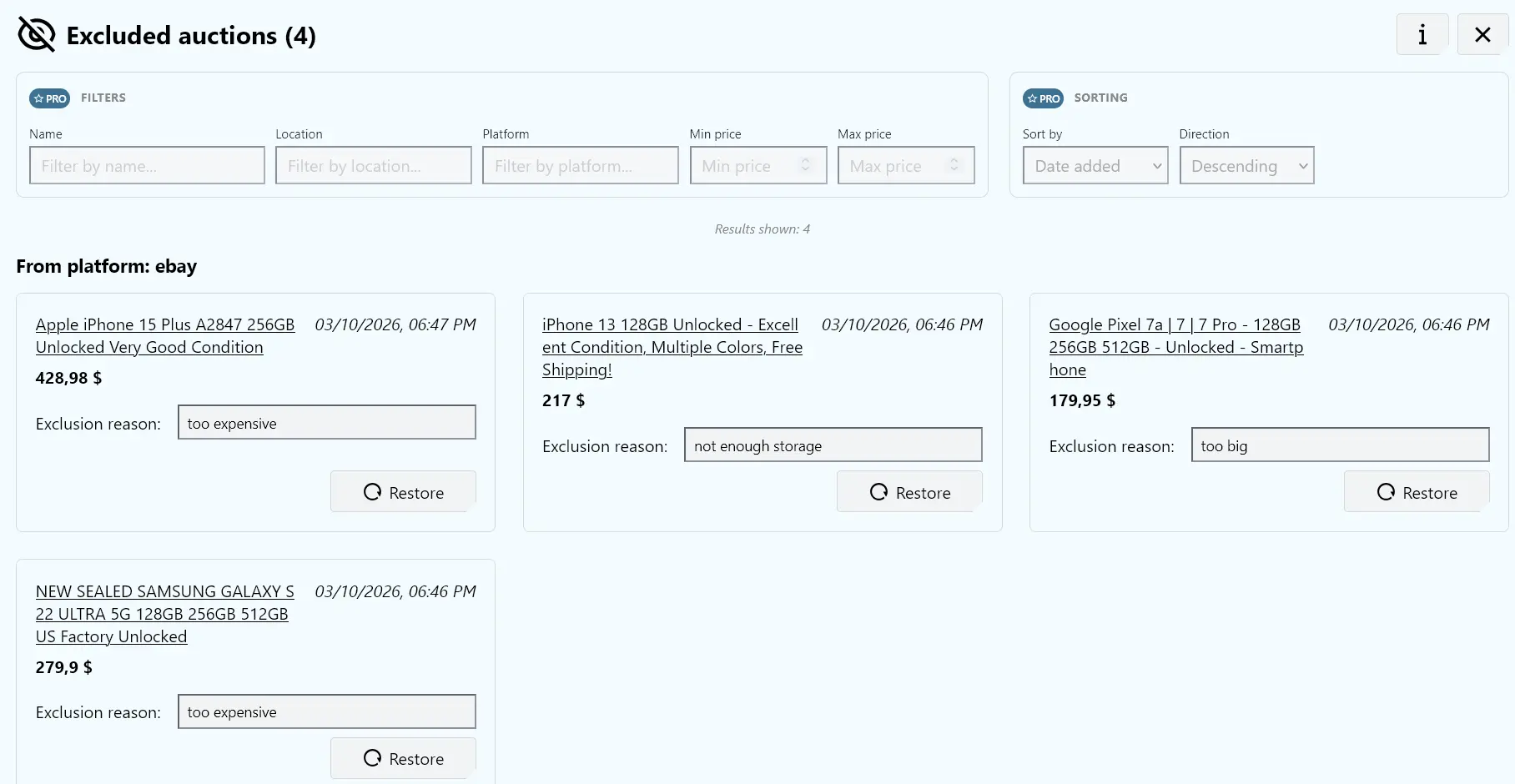
If you come across a listing that you’ve already checked and it’s not interesting to you, you can hide it from the results list. The next time you browse the page, that listing will no longer take up space. When excluding a listing from the results, you can also add a short note — which helps you quickly remember later why you didn’t want to return to it.
You can also mark selected listings — for example ones with a good location, an interesting price, or listings you want to compare with others later.
Because of this, the results list starts to look very different. Instead of hundreds of similar offers, you mostly see new listings or previously marked ones that are actually worth checking.
Browsing listings without the chaos
The biggest change is that after a few days of using this approach, browsing listings stops being tiring.
You no longer have to wonder whether you’ve seen a particular offer before. You stop opening the same listings again and again. The results list simply becomes more organized and easier to navigate.
As a result, you find new offers faster and spend less time scrolling through listings that no longer add any value.
And when you’re searching for something bigger — like an apartment, a car, or expensive equipment — that time saved really makes a difference.