Reseller tools: how to source for resale without overpaying

You buy an iPhone 13 128 GB on eBay for $230 to resell it at $310. After fees, shipping, packaging and one return in ten, you keep roughly $40 — as long as you don't overpay on the way in. The listing, however, shows exactly one number: today's asking price.
Reseller tools split into two worlds. One helps you sell: listing, inventory, integrations, bookkeeping. The other helps you buy — and buying is where the margin is either created or lost. AuctionMate sits in the second group: price history, alerts, tags and notes appear right on the listing page on eBay, Vinted, Amazon or Gumtree.
Who this is for, and what you won't find here
This is for someone who buys in order to sell: fashion from Vinted, phones and consoles from eBay, open-box and returns from Amazon, local pickups from Gumtree. You work in a browser, you go through dozens or hundreds of listings a day, and your decision is a number rather than a feeling.
The examples below come from those sites, but nothing changes when you buy elsewhere: the chart, alerts, notes and tags behave the same on Kleinanzeigen, Allegro, Otomoto or an electronics store page — the full list is linked at the end.
It is not a replacement for cross-listing platforms or inventory systems: no listing, no bumping, no inventory, no profit and loss. AuctionMate covers the buying side only, and the section on honest limits below says exactly where that ends.
How to set a max buy before you message the seller
You work the max buy backwards: expected resale price, minus platform fees, minus shipping and packaging, minus a reserve for returns and repairs, minus the margin you refuse to give away. What comes out is one figure — say $240. Anything above it isn't a deal, it's unpaid work.
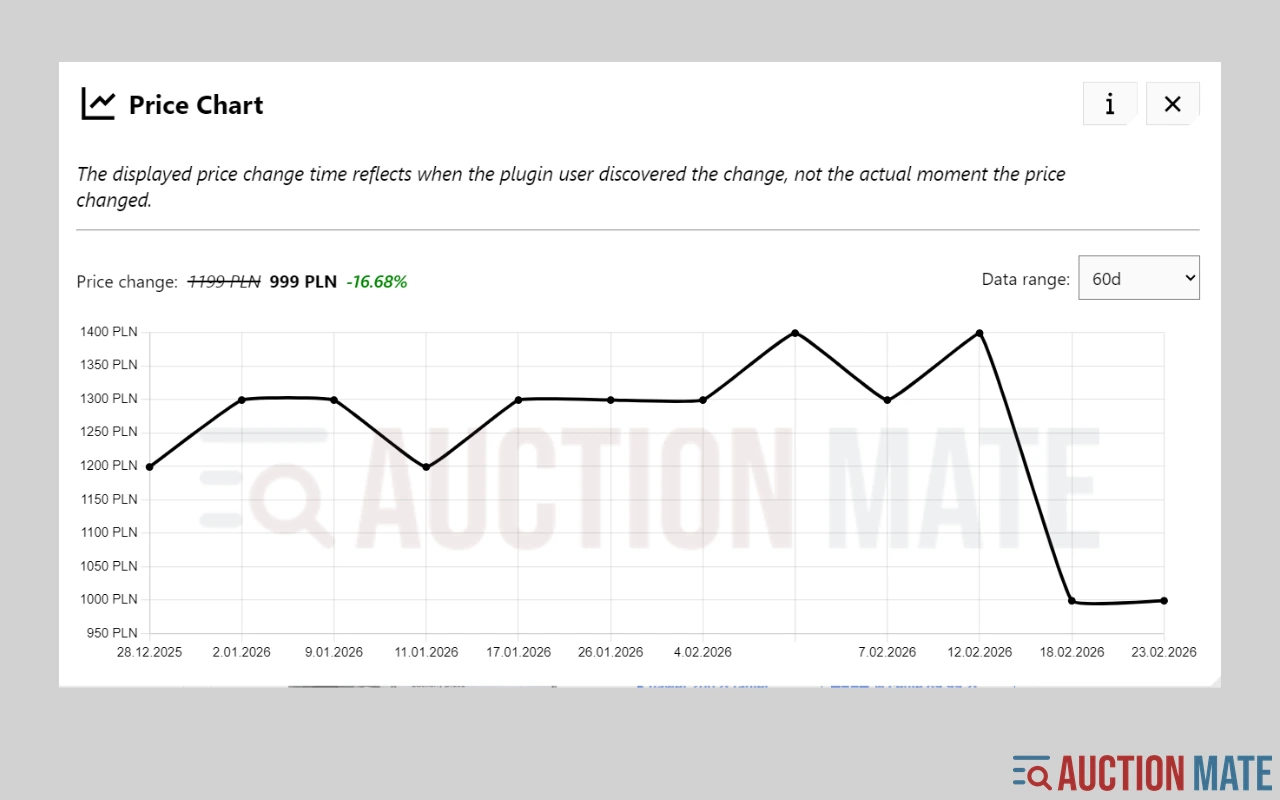
Price history tells you whether today's asking price is near that figure or still heading towards it. The chart shows three things a single price never does:
- Step-by-step cuts — the price dropped three times by $15 over three weeks. The seller is in "I want this gone" mode, so your offer has a basis.
- A comeback after a hike — the price "fell" from $290 to $250, but a month ago the same item sat at $220. That isn't a deal, it's a correction of an inflated ask.
- A flat line — nothing has moved in 60 days. Either the seller has no pressure, or the price is genuinely at market.
AuctionMate draws that chart on the listing page with a range of up to 60 days. The free plan opens up to five charts a day, which sourcing burns through in minutes — that daily cap is what PRO removes.
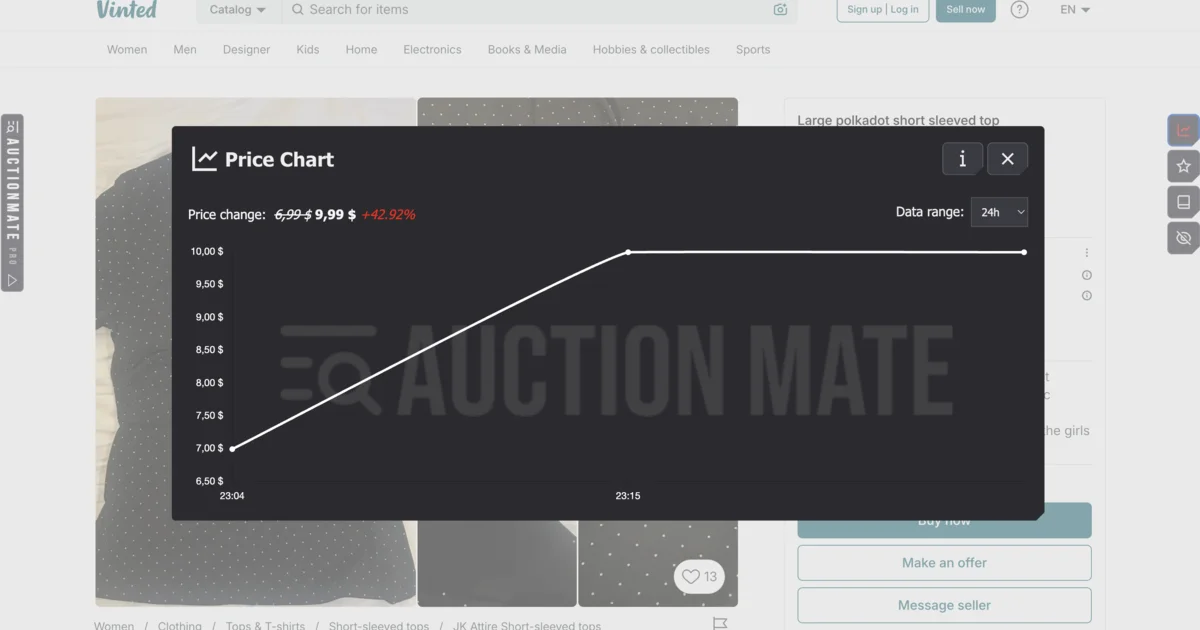
We explain how to read the chart itself in Don't buy blindly – see if the price is rising or falling. The point for sourcing is that you fix your ceiling before the first message, not halfway through a negotiation.
Wait for the seller's move instead of refreshing tabs
Half of good buying isn't discovery, it's patience. A listing at $290 against a $240 ceiling is not a rejection — it's a watch. A seller who hasn't had a single message in two weeks usually cuts the price without being asked.
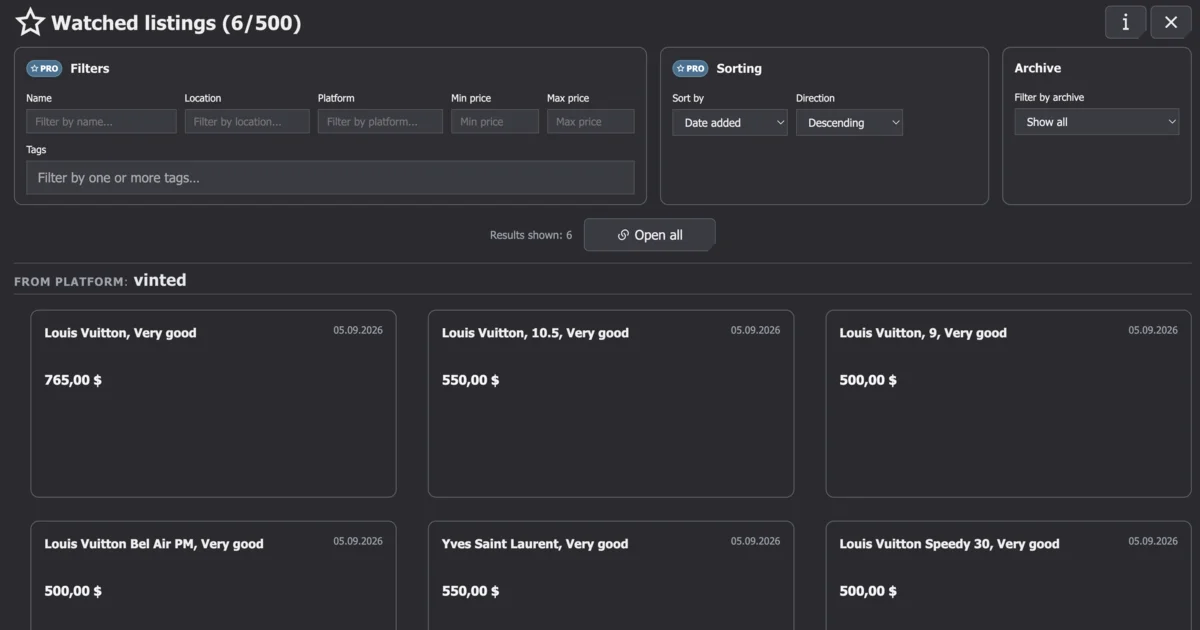
Set an alert on that listing and get on with your day. AuctionMate checks the price in the background and tells you when it changes; alerts and price-direction arrows are unlimited even on the free plan. Everything you watch lives in one panel across platforms, so you're not cycling through separate favourites on eBay, Vinted and Amazon.
How to process hundreds of listings a day without re-reading the same ones
The real cost of sourcing isn't money, it's the time you spend on listings you already rejected. Run the same search every morning and the same items come back: refreshed, promoted, or relisted from scratch.
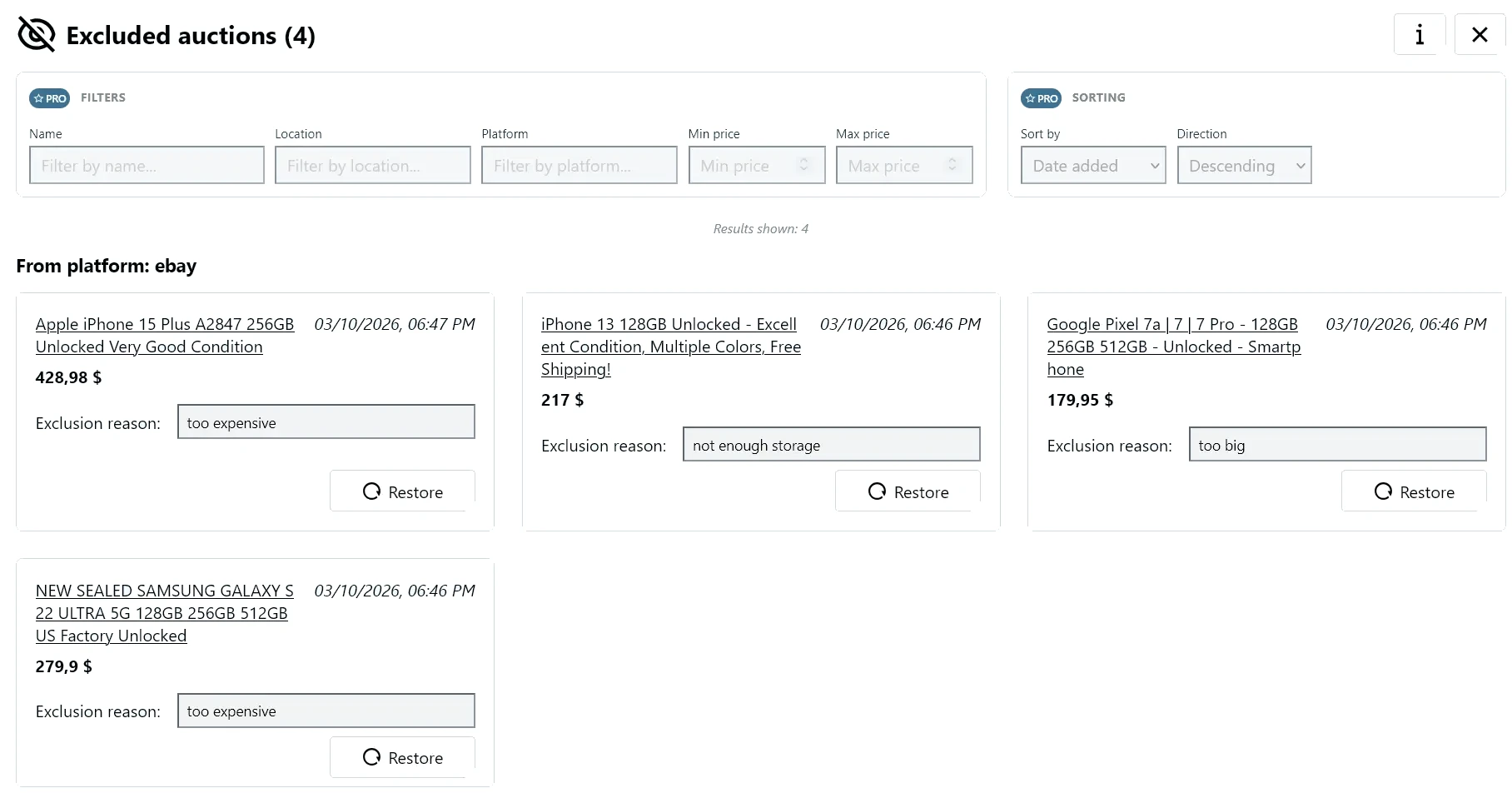
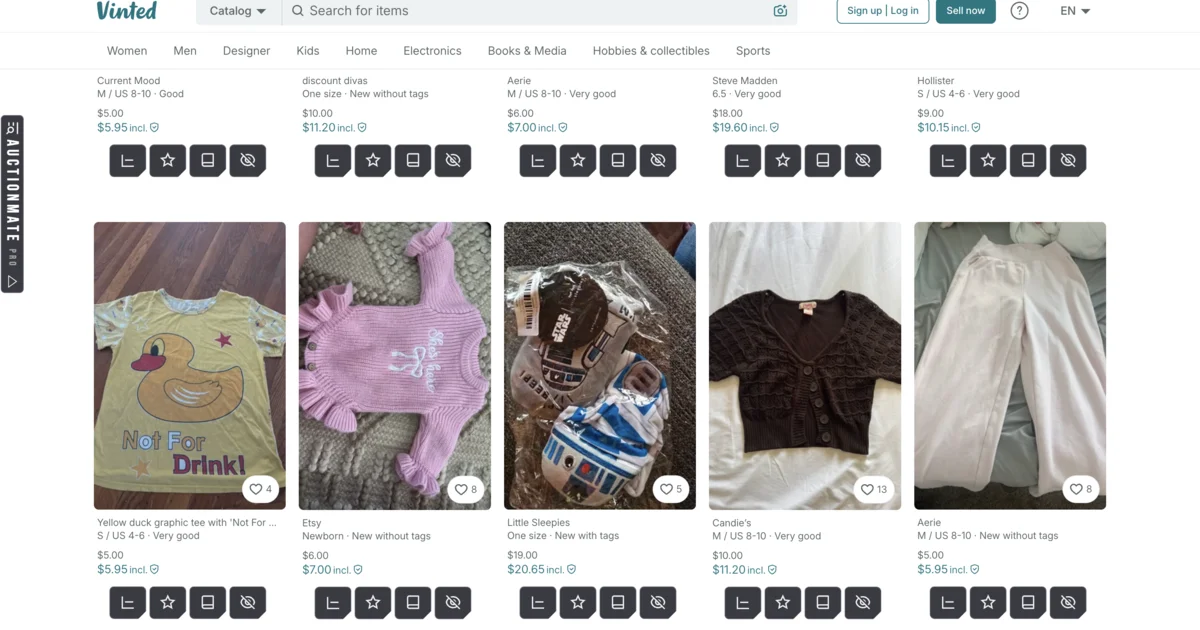
Hide a listing once and write down why: "too expensive", "not enough storage", "too far", "seller feedback". Next time it won't stop you, and if you change your mind it comes back with one click. Hiding works on the free plan; PRO adds rules that exclude listings automatically by keyword, location or seller, plus percentage price change on the results list — direction arrows are always visible.
Why the same items keep reappearing is unpacked in Why do you keep seeing the same listings?.
Notes and tags as a cheap buying CRM
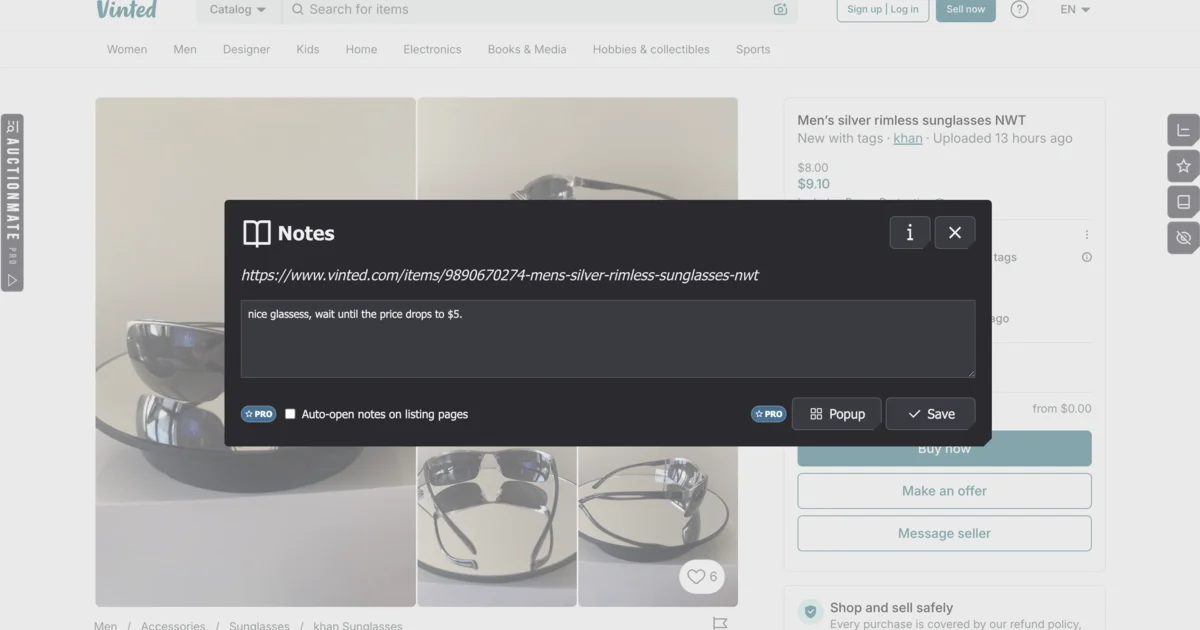
Twenty open conversations is where memory stops working. A reseller spreadsheet does the same job as long as you keep pasting links into it; a note lives on the listing itself: max $240, "battery 87%, knock off $20", "message Friday if it doesn't drop". You come back a week later and don't recalculate everything. Basic notes are free; PRO adds floating notes and opens them automatically on the listing page.
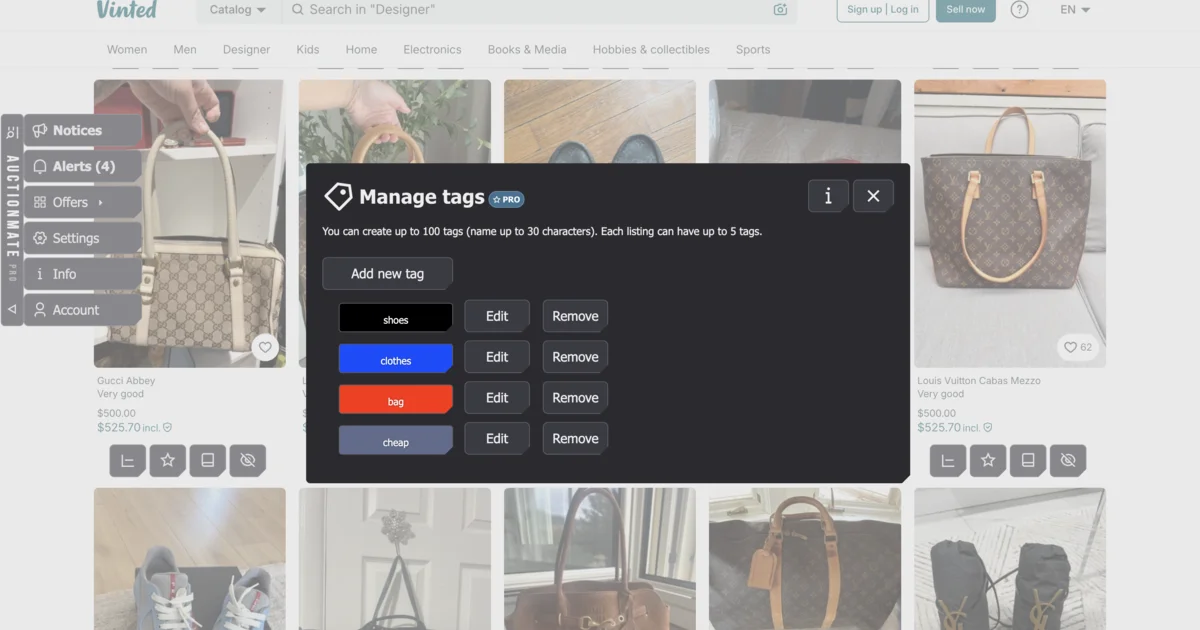
Tags turn that into a pipeline. A listing can carry several labels, so categories appear naturally: sourcing, waiting for cut, my stock, iphone, needs repair. Filter the list by one tag and you see only what needs a decision today. Tags are a PRO feature — you can create up to 100 labels and put five on a single listing.
The same routine, seen from the fashion side, is in Vinted: how to find deals and avoid overpaying.
Check a second channel before you hit Buy It Now
With electronics, the price of a used unit only means something next to a new one. Before you pay $160 for a used vacuum, it helps to know the same model drops to $199 new on Amazon every few weeks — your margin then melts with the next sale. AuctionMate tracks store pages too, so that check happens in the same browser, as described in how to track electronics prices.
Honest limits
Price history comes from data shared by people using the extension, not from mass scraping. In practice: a brand-new listing usually has no history yet, and the record starts when someone first checks that listing. The more you work in the same categories, the more you see.
Beyond that, AuctionMate won't show sold prices (keep using the platform's own sold filter for that), won't calculate tax or stock, and won't list or bump anything. It runs as a desktop browser extension. One formality: buying to resell is commercial use, which requires a BUSINESS plan after the trial period — details are in the plans and pricing page and in the documents linked in the footer.
Does this replace checking sold prices?
No. Sold prices tell you what the market paid; listing history tells you what one seller wants today and how fast they're moving. Pricing a purchase needs both.
Does AuctionMate automate listing or bumping?
No, and that isn't planned. It's a buyer's tool: history, alerts, and order when you're dealing with a lot of listings.
Does every listing have price history?
Not every one. The data is shared, so a full chart exists for listings someone has already tracked. Once you watch a listing, its history starts building from that point.
Make your money on the buy, not on hope
Reselling is won at the purchase. Once you know your max buy, can see how a listing has behaved, and stop re-reading the same offers, the rest is logistics.
Install AuctionMate and check price history where you actually buy — on the listing page, before you send the first message.
The full list of places the chart works: What platforms does AuctionMate support?
Related articles
-
Article
Vinted deals: how to find them and avoid overpaying
Vinted deals are rarely obvious: compare similar listings, check the listing's price history, set an alert and negotiate on facts — right in your browser.
-
Article
Why Do You Keep Seeing the Same Listings?
Find out why you keep seeing the same listings and how to organize your browsing.
-
Article
What platforms does AuctionMate support?
AuctionMate is a browser extension for many marketplaces like Amazon, eBay, Copart, and IAAI.


Other articles
-
How to track used car prices on AutoScout24 and Gumtree
Buying a used car online? See 60-day price history on AutoScout24 and Gumtree car listings with AuctionMate — negotiate with data, not guesswork.
-
How to Check Cosmetics and Perfume Prices on Notino
Notino prices jumping? Check cosmetics and perfume price history, spot real deals vs marketing, and buy smarter with AuctionMate.
-
Discount or manipulation? How stores bypass Omnibus rules.
Are discounts really saving you money? Learn how stores manipulate pricing under Omnibus rules and why coupons and deals can be misleading.
-
Don't buy blindly – see if the price is rising or falling
Don't overpay for online shopping. Check the 60-day price history, see the change chart, and find out if it's truly the lowest price.