Vinted deals: how to find them and avoid overpaying

The best Vinted deals rarely look like deals. €35 can be a steal — or a price that was €28 not long ago. Without listing history you only see today’s number and have to guess: buy now, negotiate, or wait.
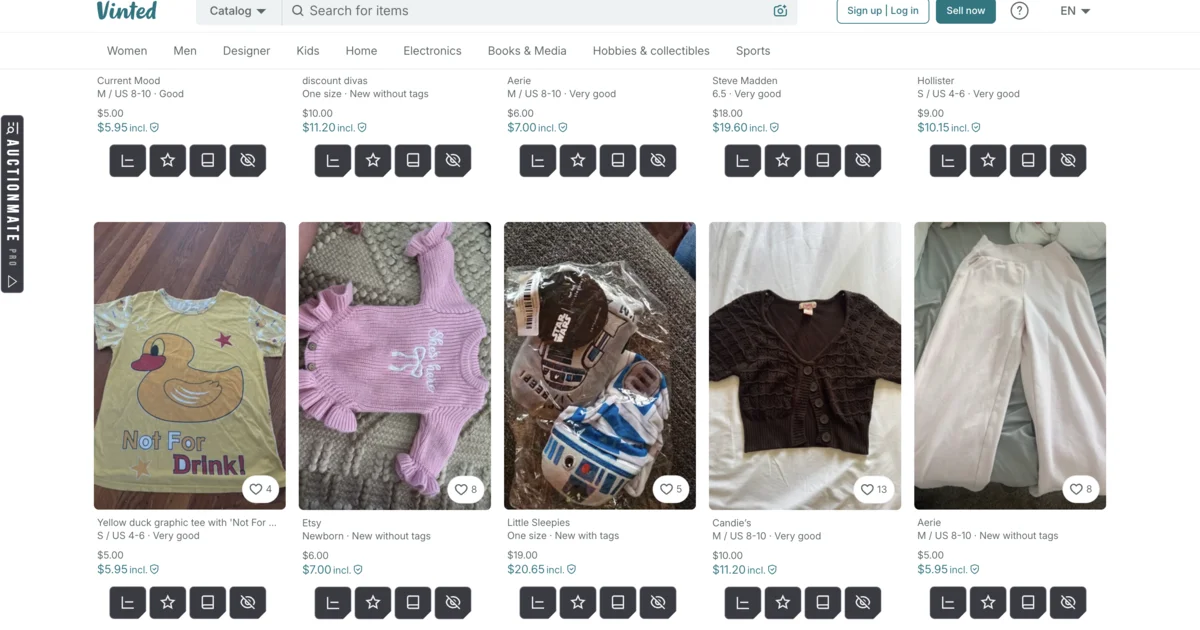
AuctionMate adds that context on the listing page: price history, alerts, tags, and notes — so you can tell a real drop from a listing that simply went back to its old price.
How to find deals on Vinted?
A good deal is rarely obvious at first glance. Before you hit buy:
- Compare 3–5 similar listings — same model / brand, similar condition and size. One “nice” offer with no context isn’t enough.
- Check that listing’s price history — is it falling, flat, or back up after a bump?
- Wait for the seller’s first move — many offers drop €5–15 after a few quiet days; an alert watches for the cut for you.
Looking for a jacket that usually sits around €60 used? Don’t take the first one. Watch a few similar items and act when one lands clearly below the usual range — with history you can tell a real dip from a cosmetic markdown.
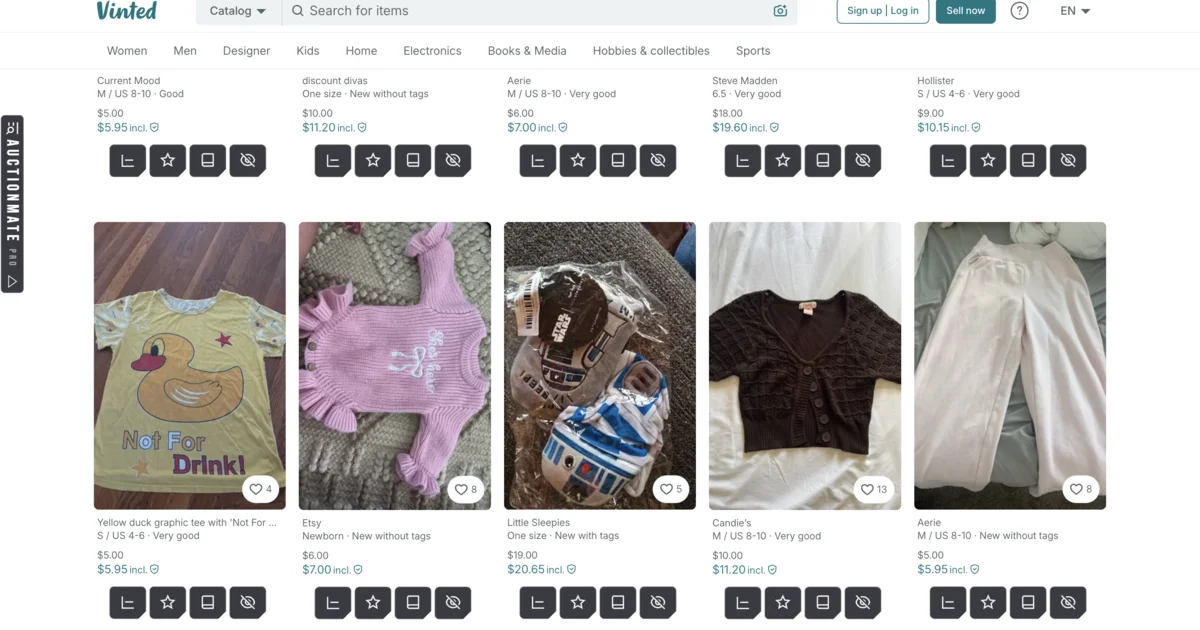
Vinted price history — how to see price changes?
The current amount doesn’t tell you whether the item is getting cheaper, holding steady, or just returned from a higher price.
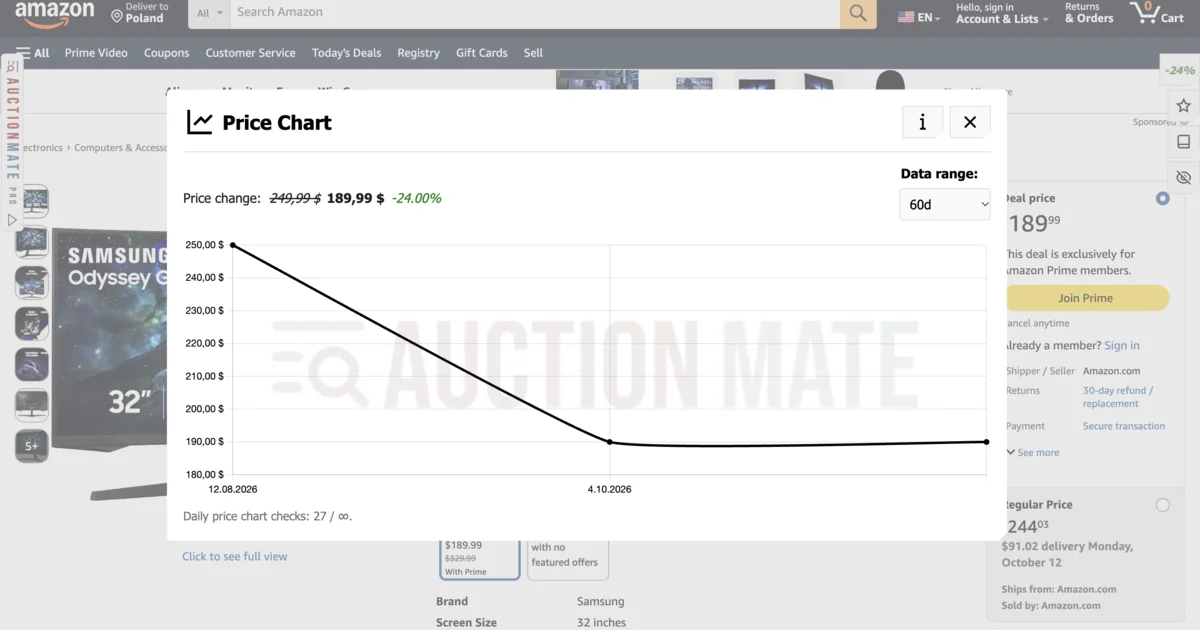
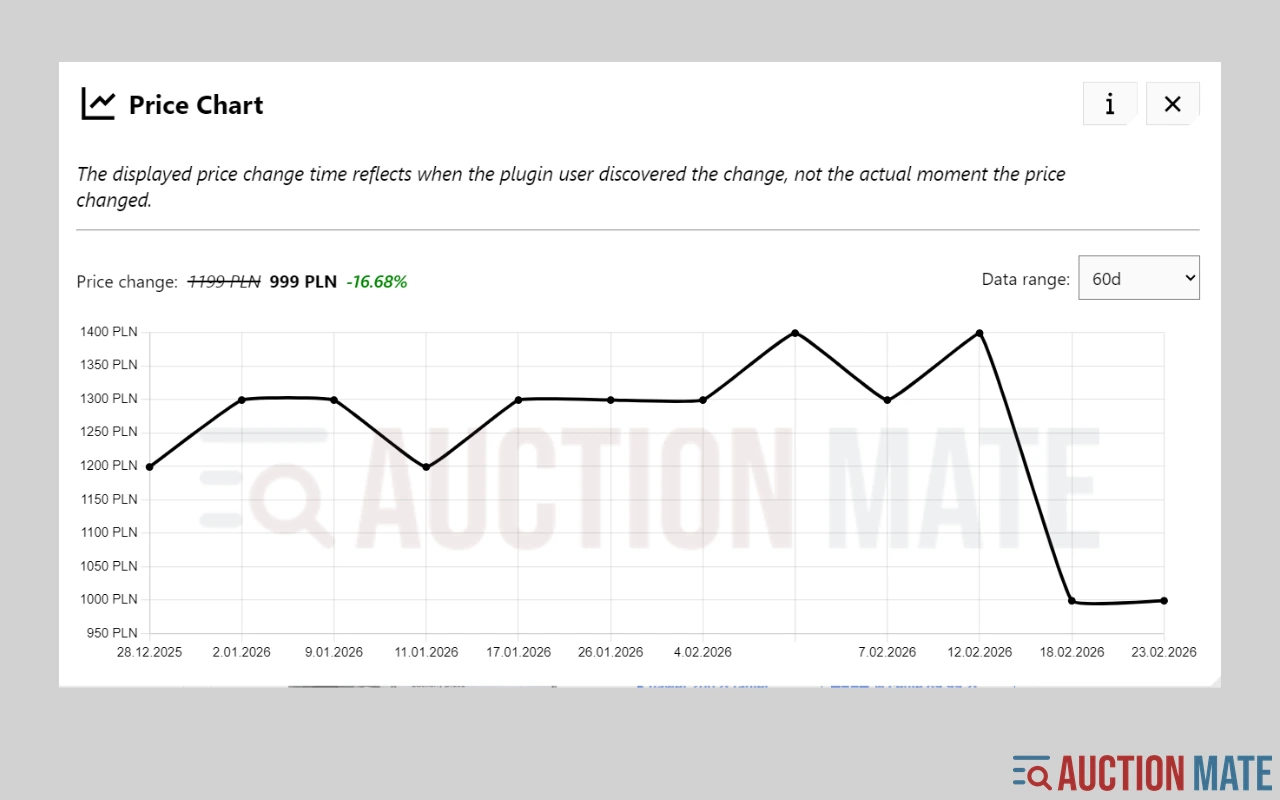
AuctionMate shows on the listing page how the price has moved over time. You see the trend and can judge whether today’s figure actually looks favourable.
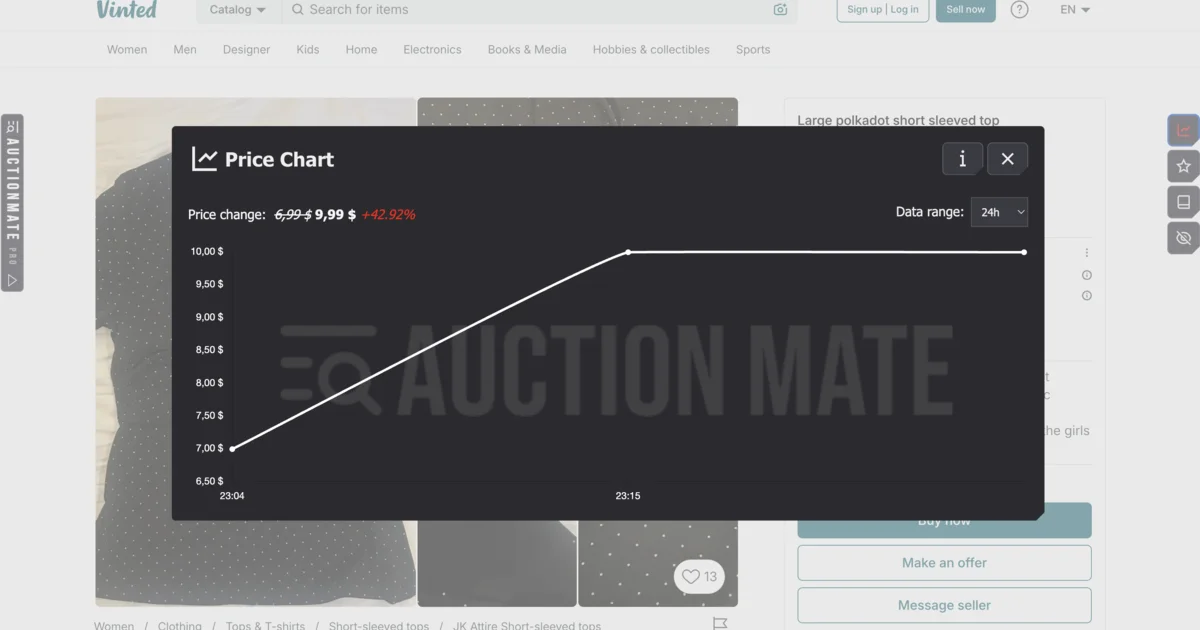
How the chart works in general: Don’t buy blindly – see if the price is rising or falling — here we focus on Vinted.
Vinted price alerts — don’t miss a drop
You’re after a specific model within a budget, but listings sit a bit too high. Refreshing favourites every day gets old fast.
Set an alert on a watched product — you’ll get a signal when the seller changes the price. Instead of buying on impulse, you come back when the offer makes sense.
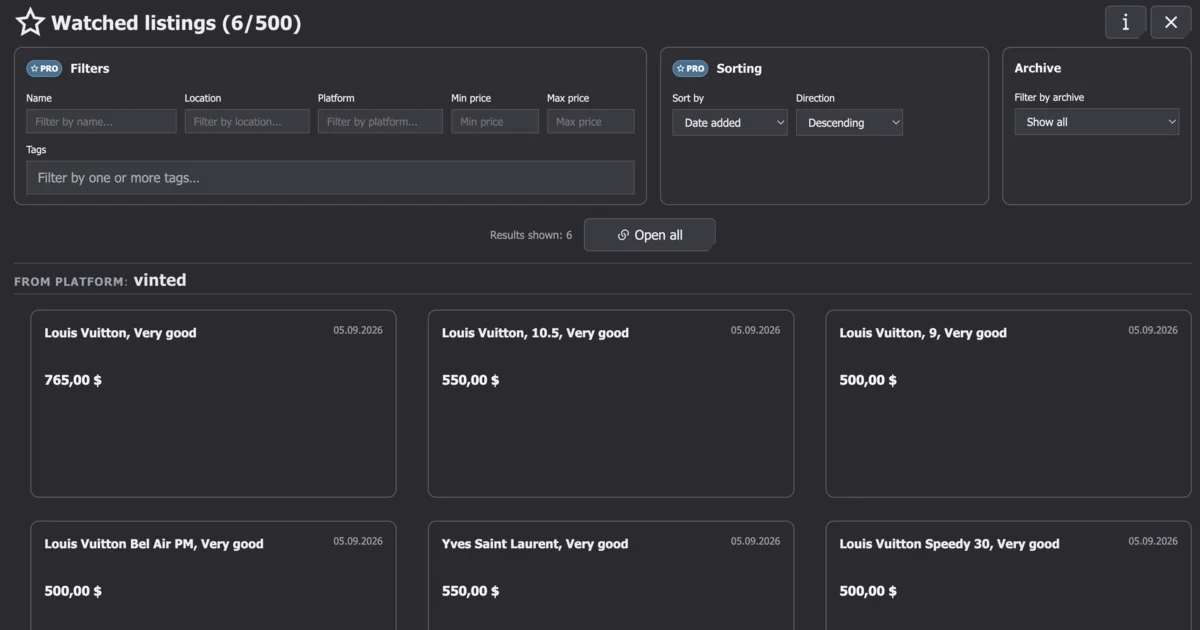
Negotiating the price on Vinted
If a listing has been up for a while and the price has already been cut several times, you have a stronger basis for your own offer. If the seller just made a big cut in one go, another large drop is often less likely — a sensible amount plus a quick decision usually beats a bare “any cheaper?”.
With price history you don’t start the conversation in the dark.
Tags and notes — when favourites aren’t enough
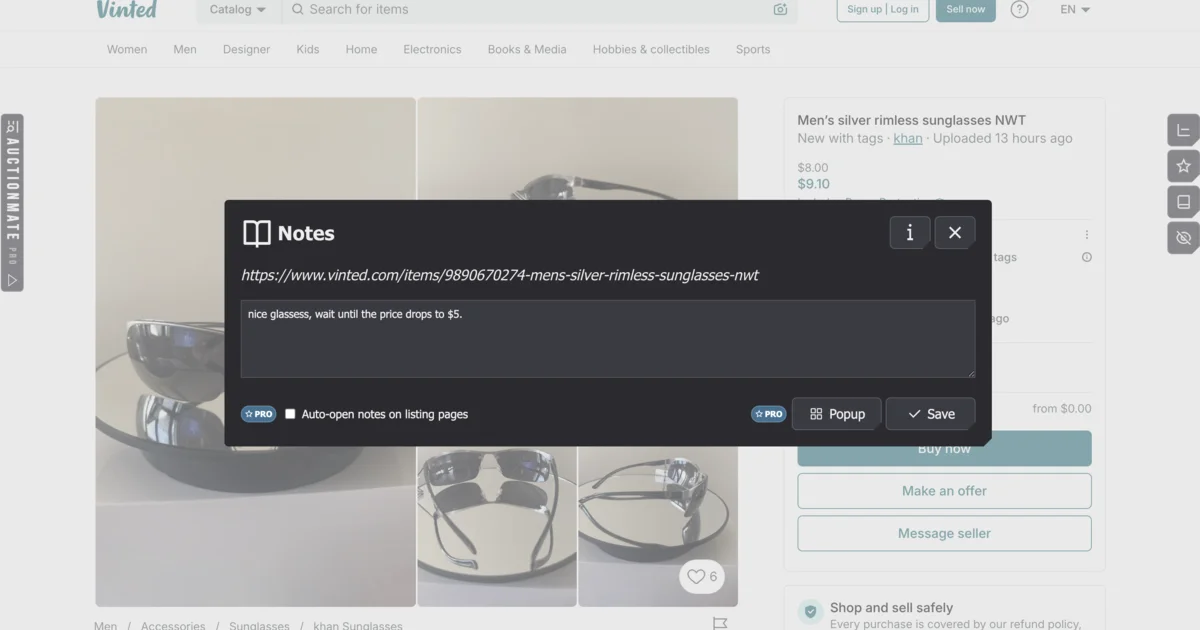
With dozens of saved offers, favourites alone turn into clutter. In AuctionMate you tag watched products (e.g. sneakers, jackets, Nike, vintage) and add a note on a specific listing: “buy below €35”, “check condition”, “compare with yesterday’s”.
You can also use tags on your own listings in the extension — e.g. my stock, heels, wardrobe by the window. That’s your organisation in AuctionMate, not a Vinted feature: easier to track what you’re selling, and with good tags you can even find the piece waiting at the bottom of the wardrobe faster.
For reselling, keep a max buy price or expected margin in the note — a difference of a few dozen euro on one item adds up quickly. More on that workflow: reseller tools and price history for sourcing.
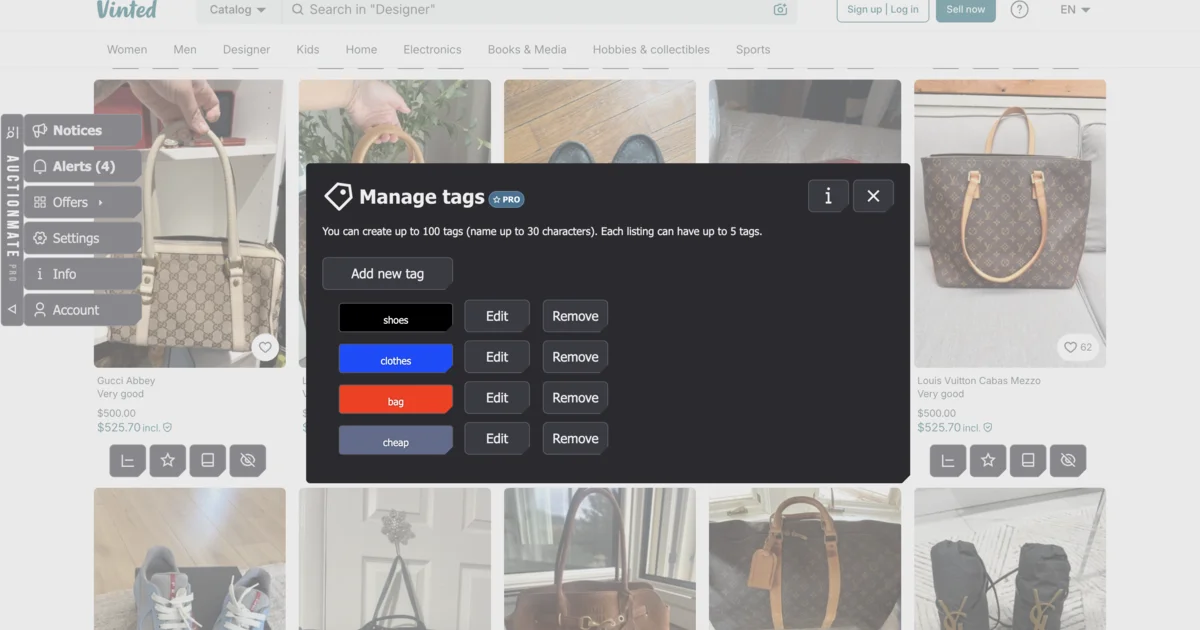
Buy on Vinted with price context
Still browsing as usual? AuctionMate adds history, alerts, and order when you’re watching many products. It’s easier to answer: is this really a good deal?
Install AuctionMate and browse Vinted with price history on your side — instead of guessing whether today’s “deal” really is one.
More platforms with price history: What platforms does AuctionMate support?
Related articles
-
Article
Don't buy blindly – see if the price is rising or falling
Don't overpay for online shopping. Check the 60-day price history, see the change chart, and find out if it's truly the lowest price.
-
Article
Why Do You Keep Seeing the Same Listings?
Find out why you keep seeing the same listings and how to organize your browsing.
-
Article
What platforms does AuctionMate support?
AuctionMate is a browser extension for many marketplaces like Amazon, eBay, Copart, and IAAI.


Other articles
-
How to Track Electronics Prices Before You Buy
Electronics deals confusing? Check price history in your browser with AuctionMate — then dig into Amazon or eBay in the dedicated guides.
-
How to check price history on Kleinanzeigen?
Kleinanzeigen hides full price history. AuctionMate charts listing prices in your browser — negotiate with data, set alerts, avoid overpaying.
-
Reseller tools: how to source for resale without overpaying
Listing price history before you offer, price change alerts and order across hundreds of listings a day — reseller tools that run in your browser.
-
Is Black Friday a scam? How to tell if the deal is real
Is Black Friday a scam? Sometimes a real deal, sometimes a return to the old price. AuctionMate shows ~60-day history — check before you buy.