How to check price history on Amazon?

Short answer: a 30-day “was” line is not full Amazon price history
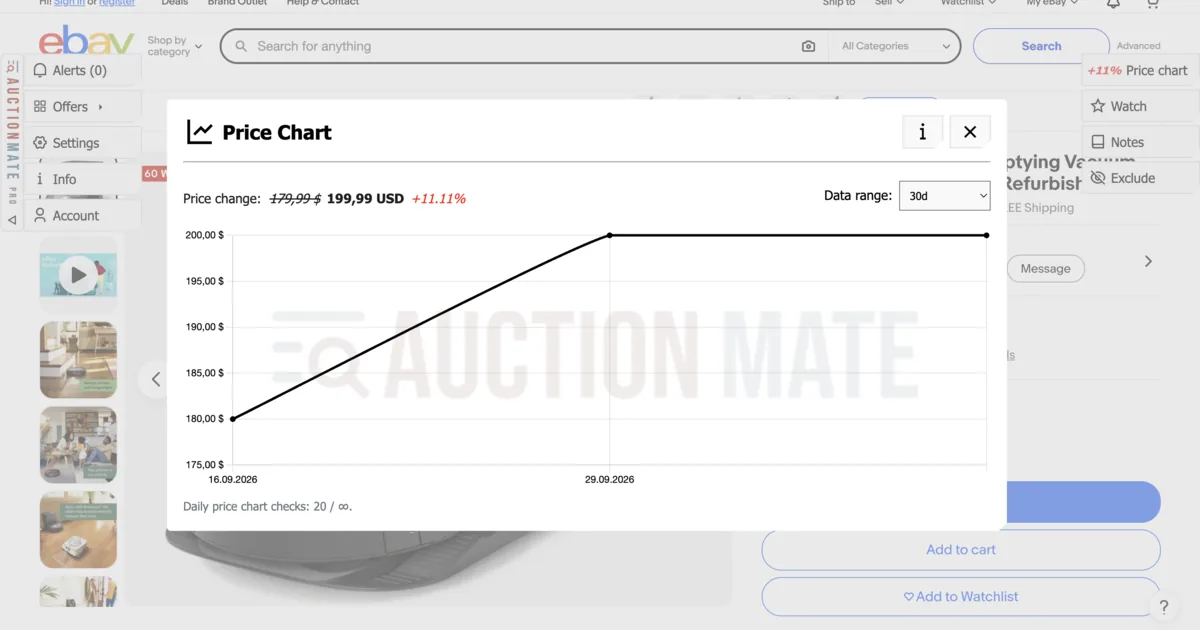
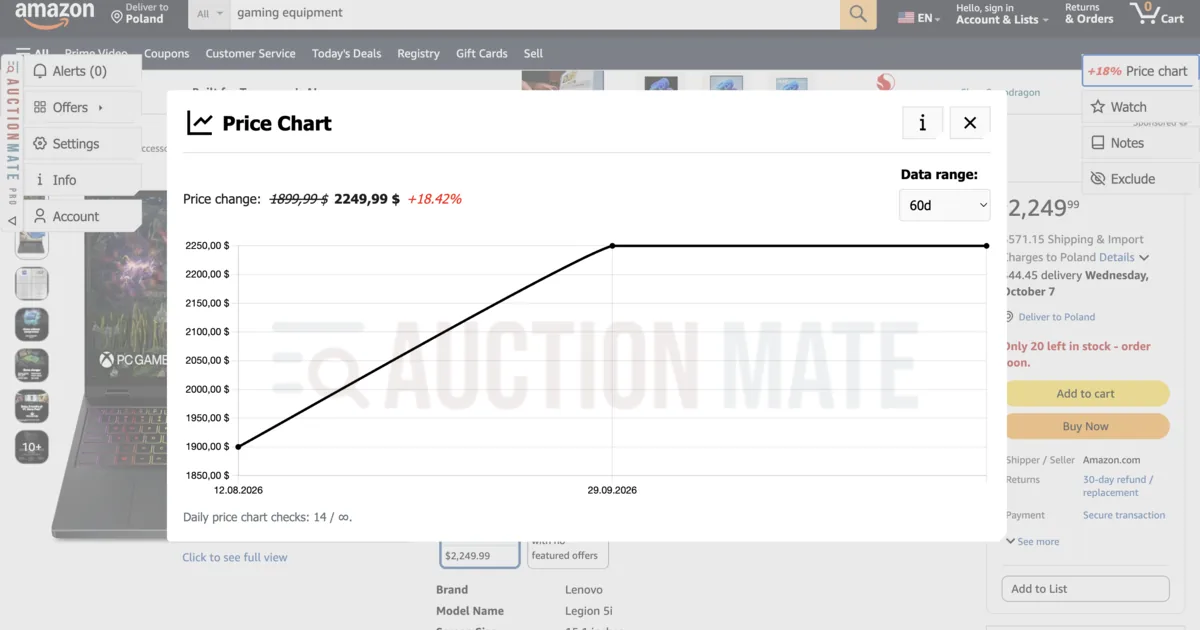
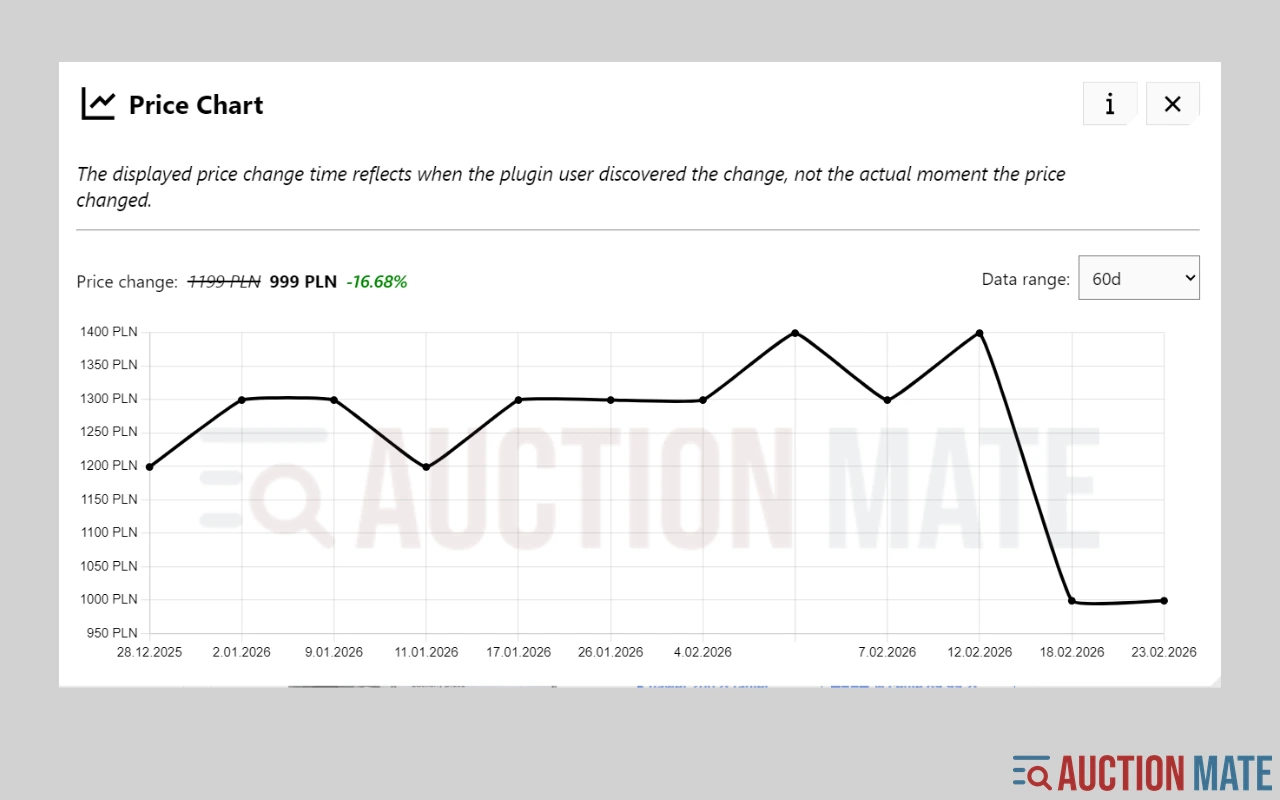
Amazon often shows the lowest price of the last 30 days (Omnibus, on stores where it applies) or a simple “was / now” line — that is not full price history. You do not see how often the price changed, whether today’s deal is only a walk-back after a hike, or whether the seller behind the Buy button is the same as yesterday. Amazon price history (Amazon.com, .co.uk, .de and other domains we support) is available with AuctionMate: a ~60-day chart on the product page.
This article is about Amazon only. Comparing several electronics retailers side by side: track electronics prices online.
What Amazon shows on its own — and what it does not
On promotions, Amazon may show the lowest price of the last 30 days. Short Lightning Deals and red badges appear alongside. That helps on the day you buy, but it does not replace a multi-week chart:
- you miss earlier price changes and returns to the previous level,
- you miss that a “deal” only reverses yesterday’s hike,
- you miss a seller change on the same product.
More on fake discount framing: Discount or manipulation?. How to read the chart itself: Don’t buy blindly.
How to check Amazon price history
- Install AuctionMate and open a product page on Amazon.
- On the page you will see the direction of change and a ~60-day chart (or from when the extension started collecting data for that offer).
- If you want to watch the offer — turn on price observation: on every price change you get a signal in Alerts (no “notify me when it hits $X” threshold).
Tools like Keepa are strong on Amazon specifically. AuctionMate does the same job on the product page — and also works on eBay, Allegro and other marketplaces you already browse.
Three Amazon-only situations
- Lightning Deal and “lowest price” — the badge versus the real low on the chart from recent weeks. Often a “mega deal” is just a return to a price the product already had.
- Different seller at the Buy button — same product, different offer. It is easy to miss that today’s seller is not yesterday’s; price history helps you avoid buying at a bad moment.
- Prime Day and Black Friday — seasonal price changes and artificial “was” lines. Before checkout, return to the chart — not to the discount percentage alone.
Price-change notifications instead of refreshing the page
On the product, turn on price observation. When the amount changes (up or down), you will see it in Alerts. Before you add to cart — compare the new price with the chart and check whether the same seller is still behind the Buy button.
Check Amazon price history before you buy
You do not have to trust badges alone. AuctionMate adds a chart and notifications on the product page.
Install AuctionMate and open your first Amazon product — you will see whether today’s “deal” really is one.
Comparing Amazon with other electronics shops? Track electronics prices online. Auctions and Buy It Now: eBay price history.
Related articles
-
Article
Don't buy blindly – see if the price is rising or falling
Don't overpay for online shopping. Check the 60-day price history, see the change chart, and find out if it's truly the lowest price.
-
Article
How to Track Electronics Prices Before You Buy
Electronics deals confusing? Check price history in your browser with AuctionMate — then dig into Amazon or eBay in the dedicated guides.
-
Article
Discount or manipulation? How stores bypass Omnibus rules.
Are discounts really saving you money? Learn how stores manipulate pricing under Omnibus rules and why coupons and deals can be misleading.

Other articles
-
Why Do You Keep Seeing the Same Listings?
Find out why you keep seeing the same listings and how to organize your browsing.
-
Vinted deals: how to find them and avoid overpaying
Vinted deals are rarely obvious: compare similar listings, check the listing's price history, set an alert and negotiate on facts — right in your browser.
-
How to check price history on eBay?
How to check eBay price history? AuctionMate shows a chart on the listing — auctions, Buy It Now, and used items without guessing.
-
Reseller tools: how to source for resale without overpaying
Listing price history before you offer, price change alerts and order across hundreds of listings a day — reseller tools that run in your browser.