How to check price history on eBay?

Short answer: eBay does not show full price history
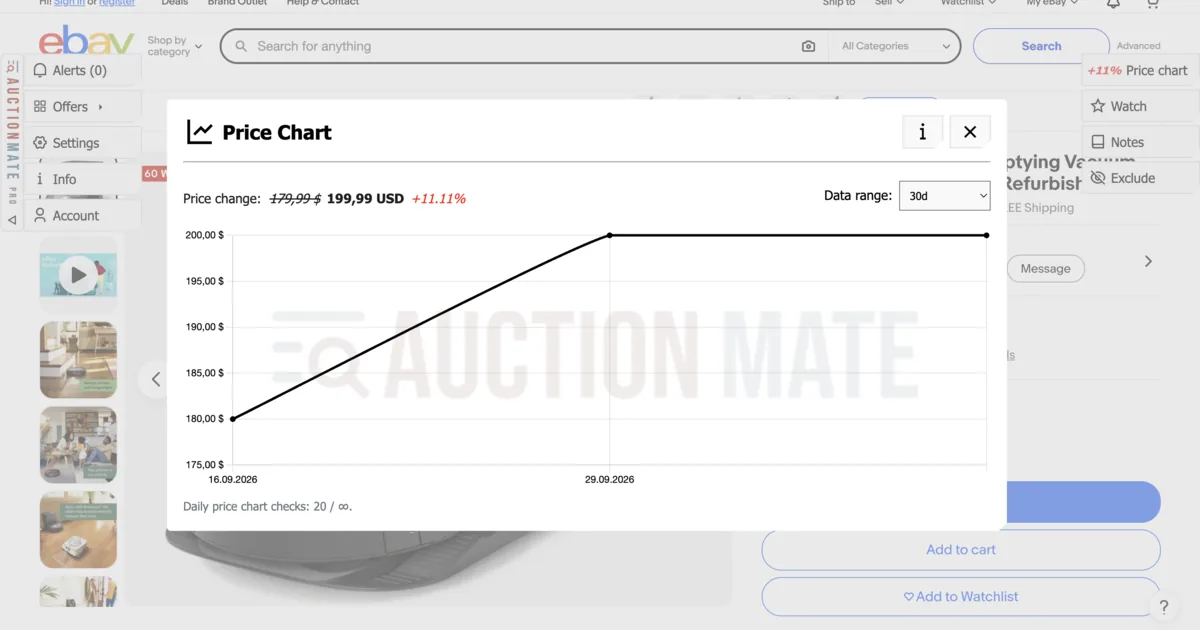
eBay does not publish a full price history for a listing. You see the current auction bid or Buy It Now price — with no chart of the last few weeks. You cannot tell whether the seller just cut after a quiet spell, or listed fresh with an optimistic start. eBay price history (eBay.com, .co.uk, .de and other domains we support) is available with the AuctionMate extension: a ~60-day chart appears on the listing page.
This guide covers how to track eBay prices, when to watch for price changes, and how to read auctions and Buy It Now without guessing.
Why eBay prices are so easy to misread
On eBay you might see an auction ending in two days, a Buy It Now with Best Offer, or a used item described as “like new” at a tempting price. The platform mixes several worlds at once:
- Auctions — the price rises with bidding; “cheap now” is not “cheap at the end”,
- Buy It Now / Best Offer — classic cuts and negotiation, like classifieds,
- Used or new — same model, different condition and risk,
- Different site versions (.com / .co.uk / .de) — you may shop from one country while listings sit on another; the problem is the same: today’s number with no history.
Without a chart, a short drop or bump is easy to mistake for “the market price”.
How to check eBay price history with AuctionMate
- Install the AuctionMate browser extension.
- Open a listing on eBay.com, eBay.co.uk, or eBay.de.
- Check the direction of change and the price chart (~60 days, or from when the extension started collecting data for that listing).
- If you want to watch the offer — turn on price observation: you get a signal in Alerts on every price change (no “notify me when it hits $X” threshold).
How the chart works in general: Don’t buy blindly.
How to get notified when an eBay price changes
Watching a listing inside eBay alone does not show history or compare today’s price with recent lows. In AuctionMate:
- On the listing, turn on price observation.
- When the price changes (up or down), you get a signal in Alerts.
- Before you click Buy It Now or send a Best Offer — return to the chart and check whether the change helps you, or only undoes an earlier inflated ask.
The same idea applies to auctions: a notification will not replace your end-of-auction decision, but it helps you avoid chasing a price that is still above your limit.
When eBay price history gives you an edge
- Buy It Now after a run of cuts — regular drops = a signal to negotiate or buy.
- “Deal” after an earlier hike — a drop from $200 to $170 when the same listing sat at $160 before — the chart shows it.
- Used electronics, photo, or gaming — you compare several listings; history helps you pick a level you are actually willing to pay.
- Shopping across eBay domains — the same model on .com and .de; without history it is easy to confuse a local “deal” with an average market price.
Comparing Amazon too? Separate guide: Amazon price history. Broader electronics shopping context: track electronics prices online.
How to shop eBay without guessing
A sensible order:
- Open the listing → chart and direction of change.
- Price not right? → price observation, not impulse.
- When Alerts signal a change → return and compare with history before Best Offer, Buy It Now, or bidding.
Check eBay price history before you click Buy It Now
You do not have to trust an attractive starting price alone. AuctionMate adds context on the listing page.
Install AuctionMate and open your first eBay listing — you will see whether today’s price makes sense against recent weeks.
Looking for the Amazon version? How to check price history on Amazon?
Related articles
-
Article
Don't buy blindly – see if the price is rising or falling
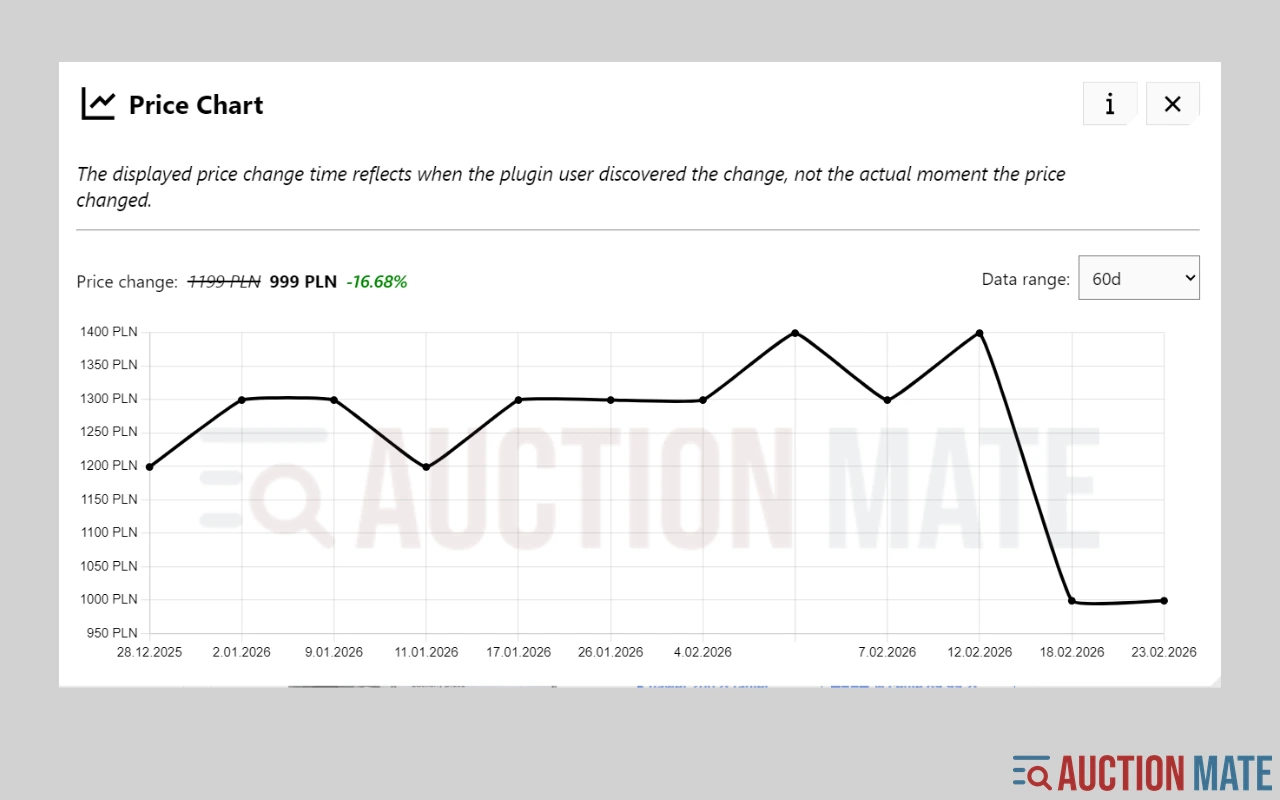
Don't overpay for online shopping. Check the 60-day price history, see the change chart, and find out if it's truly the lowest price.
-
Article
How to check price history on Amazon?
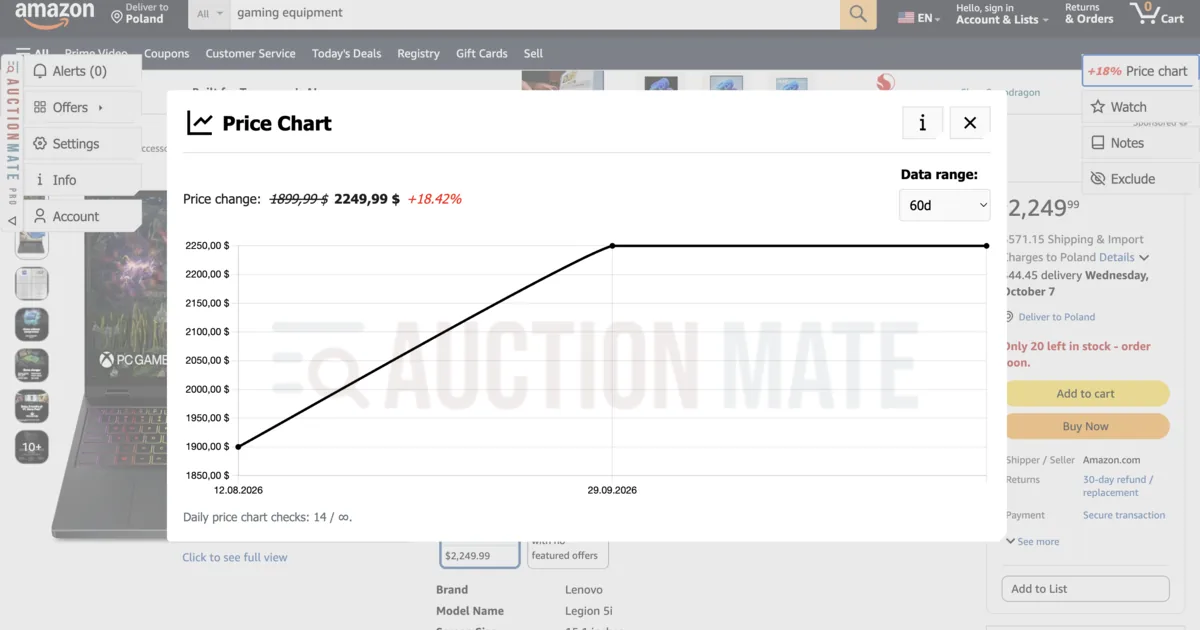
Amazon price history: 60-day chart, seller changes, and Lightning Deals — spot real offers beyond the badge with AuctionMate.
-
Article
How to Track Electronics Prices Before You Buy
Electronics deals confusing? Check price history in your browser with AuctionMate — then dig into Amazon or eBay in the dedicated guides.
Other articles
-
Why Do You Keep Seeing the Same Listings?
Find out why you keep seeing the same listings and how to organize your browsing.
-
Discount or manipulation? How stores bypass Omnibus rules.
Are discounts really saving you money? Learn how stores manipulate pricing under Omnibus rules and why coupons and deals can be misleading.
-
Reseller tools: how to source for resale without overpaying
Listing price history before you offer, price change alerts and order across hundreds of listings a day — reseller tools that run in your browser.
-
What platforms does AuctionMate support?
AuctionMate is a browser extension for many marketplaces like Amazon, eBay, Copart, and IAAI.