No more notification clutter on Kleinanzeigen

Hunting for second-hand gear on Kleinanzeigen? If you do it regularly, you probably know the pattern: you get a notification about a new listing, open it, the price is too high, you drop the ad onto your watchlist… and the trail goes cold until you forget about it.
Kleinanzeigen itself will notify you when someone posts a new listing, but it falls short when it comes to clearly tracking what happens to the offers you have already found.
That is the gap the AuctionMate extension fills. Instead of relying solely on the platform’s built-in limits, pair Kleinanzeigen’s native tools with the extension.
Quick comparison: what Kleinanzeigen does vs. how AuctionMate helps
| What do you want to do? | What does Kleinanzeigen offer on its own? | What does the AuctionMate extension give you? |
|---|---|---|
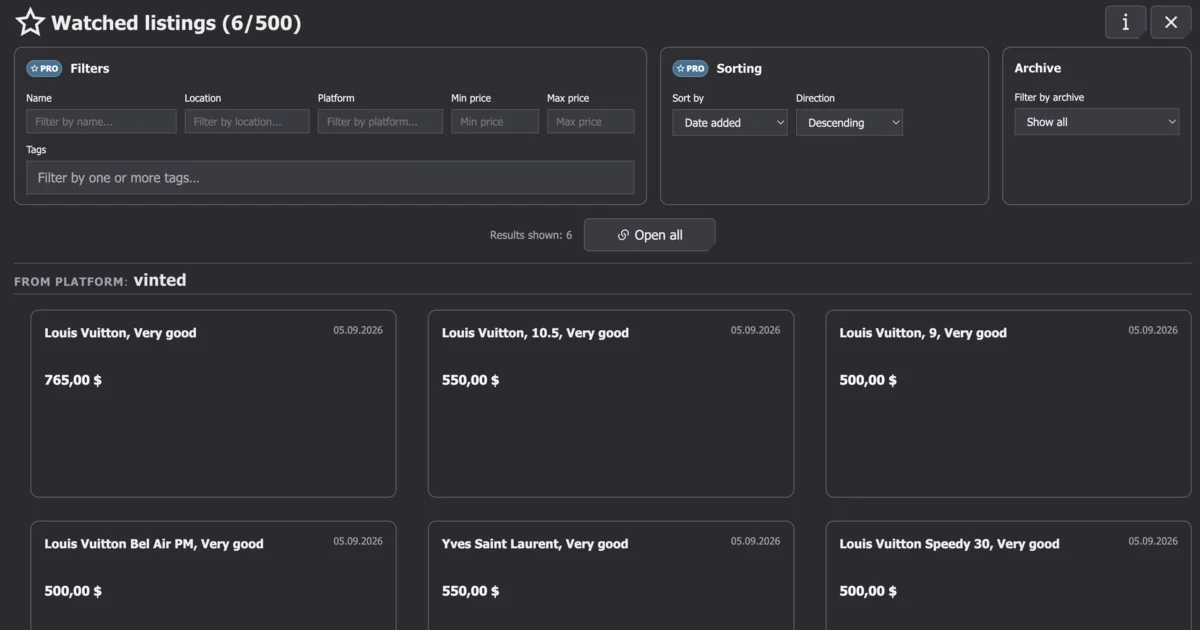
| Save an offer for later | Merkliste (the heart icon) creates a flat, basic list of saved listings. | Move selected listings into AuctionMate’s watched offers, where you build an organized list. |
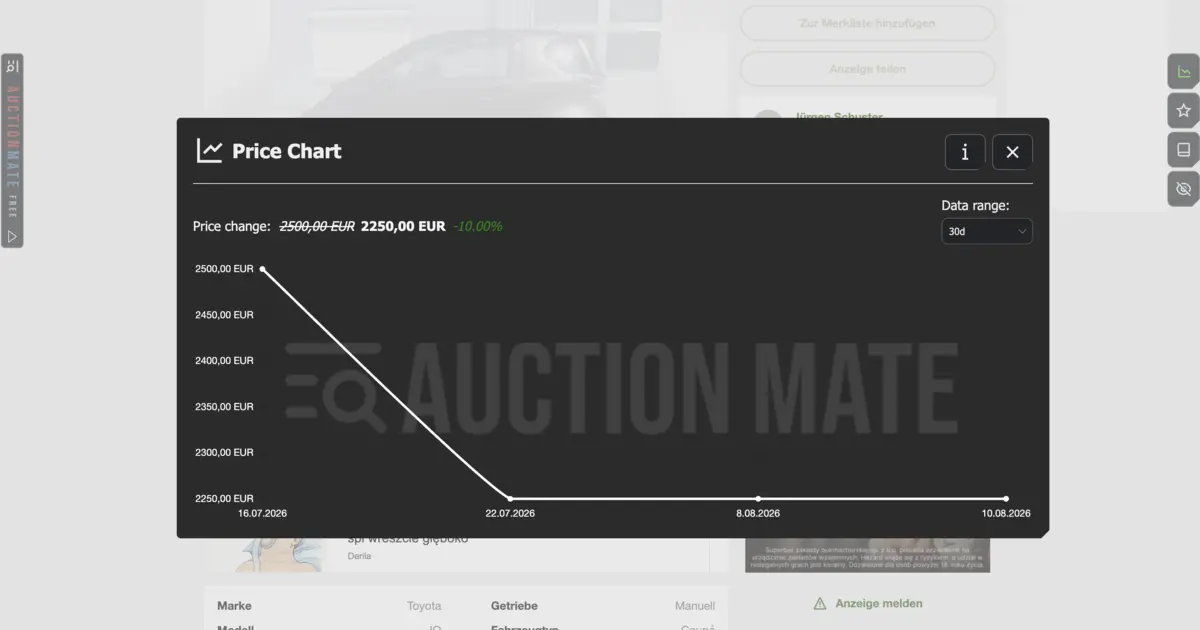
| Track price drops on specific offers | Occasional, delayed email notifications; no instant browser alerts. | Precise price alert — get an instant notification in your browser whenever the seller changes the price. |
| Manage watched items | No way to add your own notes, ratings, or filter saved offers. | Custom notes, highlights, tags, auto-exclusion, and a dedicated panel for managing offers. |
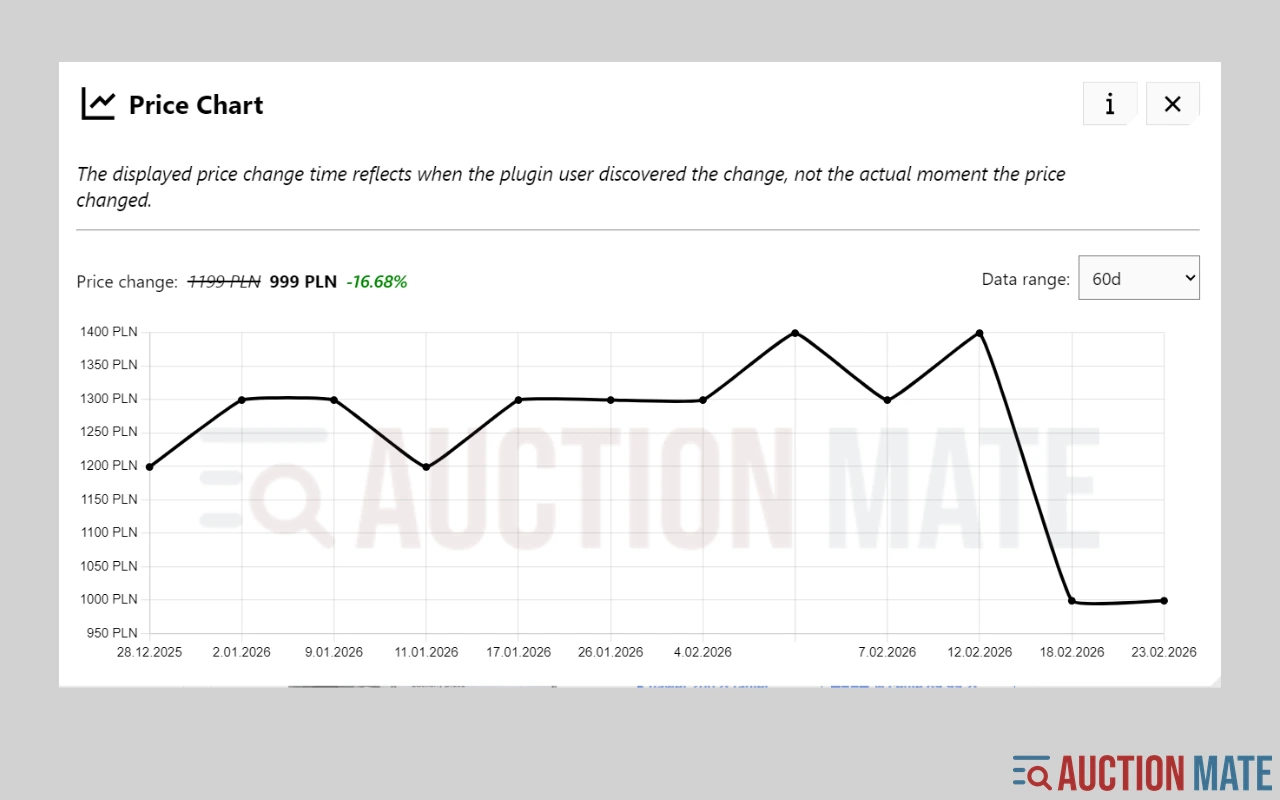
| Check price history | No price trend indicator, no price charts. | Built-in price history charts for Kleinanzeigen, covered in our separate price history guide. |
Catching new listings (Kleinanzeigen’s role)
At the very start of your search, the main job is casting a net for new offers. Kleinanzeigen’s native feature — Suchauftrag (saved search) — is enough for that.
Instead of typing the same keywords every day, set your filters on the site (category, location, radius, and maximum price) and click “Suchauftrag speichern”. When someone publishes a new listing matching those criteria, Kleinanzeigen sends you an email or an app push notification.
Where is the catch? Suchauftrag only tells you about newly added listings. It will not reliably notify you when a seller changes the price or edits an existing ad. The AuctionMate browser extension — through its price alerts — lets you know whether the prices of your watched listings have dropped or gone up.
Taking control of selected offers (AuctionMate’s role)
Once you find several interesting listings on Kleinanzeigen, the site’s native tools stop being enough. A plain watchlist (Merkliste) quickly turns into a cluttered string of links.
That is where AuctionMate steps in as a browser overlay that changes how you work with listings:
- Instant price alert: Instead of opening the same ads every day to check whether the seller finally lowered the ask, add selected listings (Inserate) to your watched list in the extension. If the seller drops the price (for example from €850 to €780), AuctionMate triggers an alert right in your browser.
- Highlights and auto-exclusion: Offer titles and locations stay clearly visible. Use free highlights, or turn on automatic exclusion (auto-exclusion) in the PRO plan to hide unwanted listings.
- Custom and floating notes: Kleinanzeigen does not let you attach notes to listings. In AuctionMate you can add your own note (e.g., “Seller agreed to weekend pickup”), and PRO also gives you floating notes that you can drag anywhere on the screen.
- Full-screen Dashboard: Instead of jumping between dozens of browser tabs, use the dedicated AuctionMate Dashboard. It is your command center for grouping offers from over 30 marketplaces — all in one clean interface.
How to use the extension in practice (example workflow)
See how to combine both layers when buying a used laptop or bike:
- Set your radar on Kleinanzeigen: Create a Suchauftrag for the model you want with a price cap up to €800.
- Review matches and launch AuctionMate: Among the results you spot a listing at €850 (slightly too high) and another at €790.
- Add them to watched offers in the extension: Instead of only clicking the heart icon on Kleinanzeigen, add both listings to AuctionMate monitoring.
- Add context: In the extension panel, attach a note to the pricier listing: “Great condition, wait for a drop to €800”.
- Catch the deal via alert: Two days later the seller cuts the price to €780. The extension shows an alert in your browser — you open the listing and message the seller first.
- Close the loop: After buying the item, remove it from the AuctionMate Dashboard and turn off the Suchauftrag notification on Kleinanzeigen.
A price alert is not the same as price history
The AuctionMate extension notifies you in real time about price changes that happen from the moment you start watching an offer.
If you want to check what happened to an item’s price before you found it (for example, whether the seller artificially bumped the price just before cutting it), you need historical price data.
Want to dive into historical analysis? Read our separate guide: How to check price history on Kleinanzeigen?, where we walk step by step through reading past price changes on the platform.
Summary
Kleinanzeigen on its own is great for discovering new listings, but it lacks tools for managing the deals you have already shortlisted. Use the built-in Suchauftrag to catch fresh ads, and hand over price-drop tracking and offer organization to the AuctionMate extension.
Want to buy faster without constantly refreshing tabs? Install AuctionMate and test price alerts and listing notes on your next Kleinanzeigen search!
Related articles
-
Article
How to check price history on Kleinanzeigen?
Kleinanzeigen shows no price history. AuctionMate charts each listing's price for 60 days in your browser, so you can negotiate with data.
-
Article
Why Do You Keep Seeing the Same Listings?
Find out why you keep seeing the same listings and how to organize your browsing.
-
Article
Don't buy blindly – see if the price is rising or falling
Don't overpay for online shopping. Check the 60-day price history, see the change chart, and find out if it's truly the lowest price.

Other articles
-
Is It Worth Waiting for a Property Price Drop?
We analysed ~64,000 listings on Otodom and Adresowo. For 14% with ≥3 prices, the last price in 60 days beats the first; average cut PLN 41,849.
-
Reseller tools: how to source for resale without overpaying
Listing price history before you offer, price change alerts and order across hundreds of listings a day — reseller tools that run in your browser.
-
How to Check Cosmetics and Perfume Prices on Notino
Notino prices jumping? Check cosmetics and perfume price history, spot real deals vs marketing, and buy smarter with AuctionMate.
-
How to check price history on eBay?
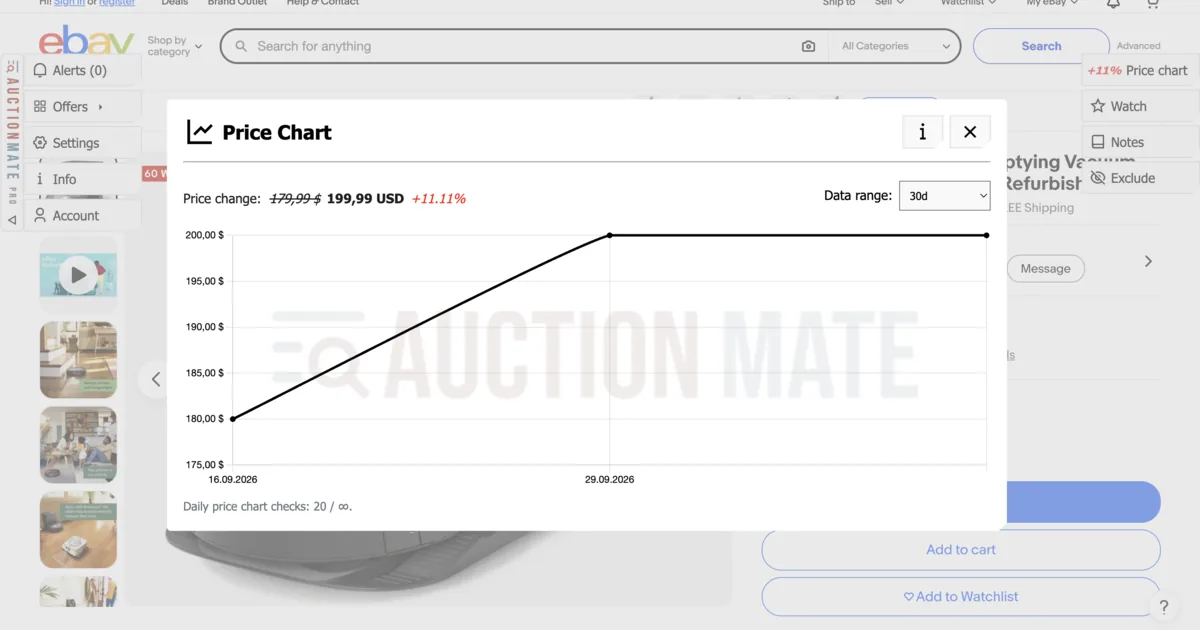
How to check eBay price history? Sold-price tools show market value; AuctionMate charts this listing's price for 60 days, so you see every cut or raise.