Product price history – how to check it and which tool to choose

The simplest way to check a product’s price history is a free browser extension or an offer aggregator. Tracking price swings lets you verify in seconds whether a discount is real — or just a temporary hike right before a sale.
This guide shows how to spot unreliable markdowns and which tool fits your shopping habits best.
What is price history and why check it?
Price history is a record of how a product’s price changed over time. You check it to avoid fake promotions and buy closer to the real low.
Before you click “Buy now”, look at the historical chart to dodge three common traps:
- Artificially raised prices before sales. Sellers often bump the price for a few weeks, then cut it back to the old level and call it a discount.
- Fake Black Friday and Cyber Monday deals. Shopping festivals are full of offers that look good only by name. A chart shows what the product cost over the last few months.
- Timing the purchase. Seeing cyclical drops makes it easier to decide whether to buy today or wait a few days.
How to check a product’s price history
You can check price history in three ways: install a browser extension, use websites and price comparison services, or use universal tools with alerts on every price change.
Pick the method that matches how and where you shop.
Browser extensions
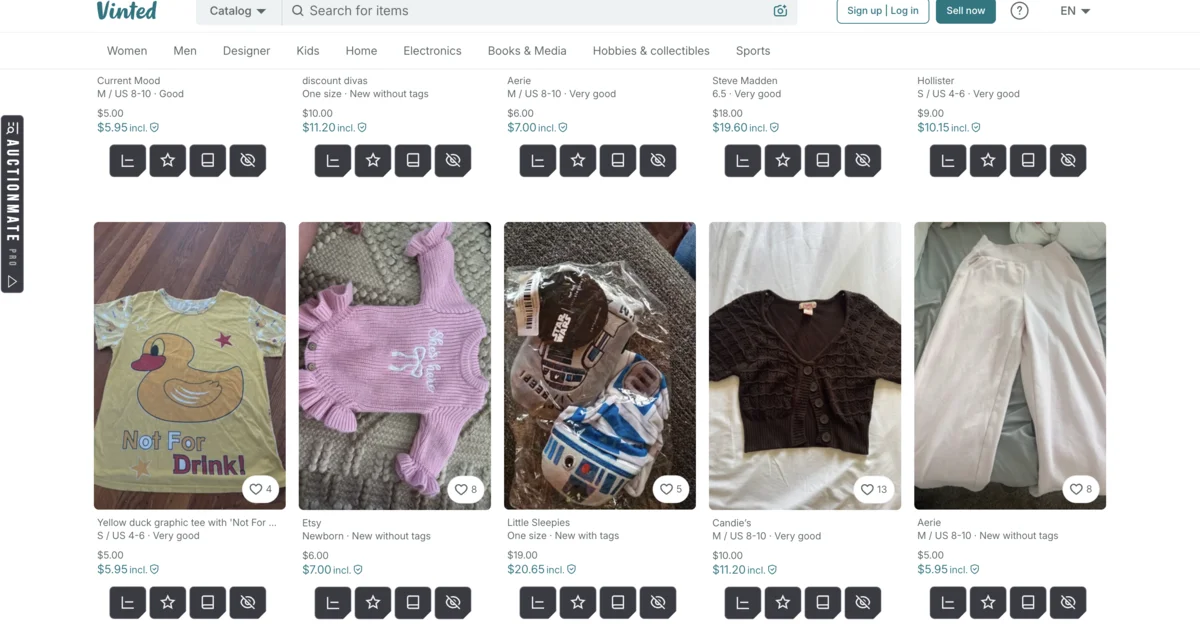
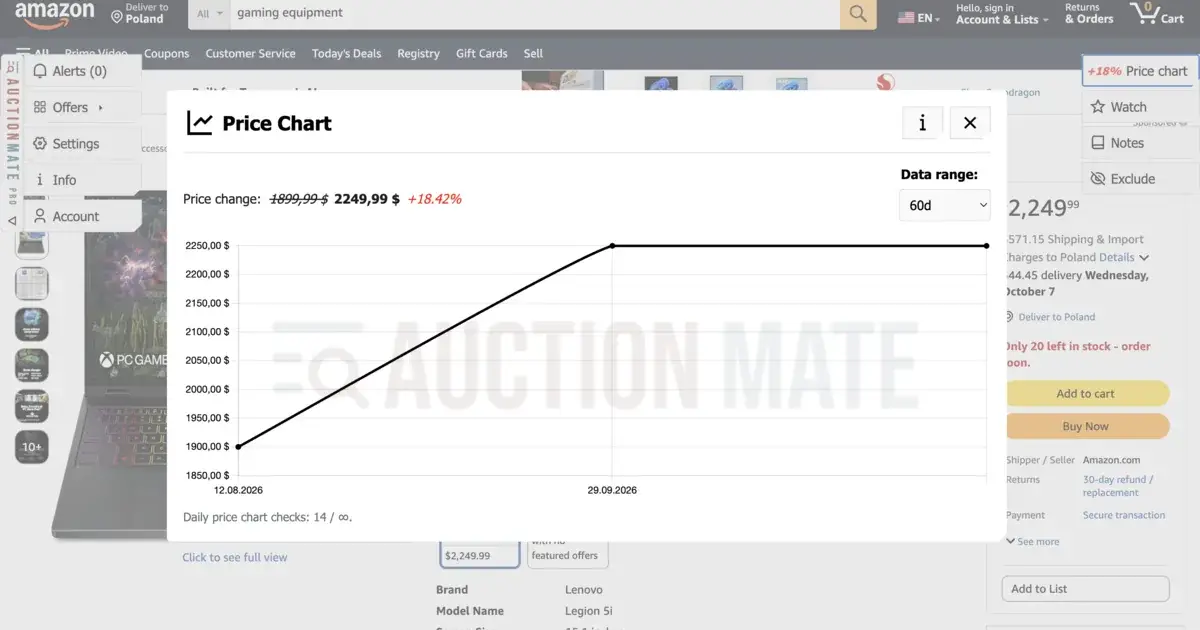
Extensions (Chrome, Firefox, and similar) overlay a price chart directly on the product page. That is the most convenient option — you see history instantly, without copying links or switching tabs.
Websites and price comparison services
Sites where you search by product name or paste a listing URL. Useful for a quick overview, though their data is often limited to the comparison site’s retail partners.
Universal marketplace monitors
Tools built for broader market coverage. They track prices not only in classic shops but also on classifieds and car marketplaces, and notify you on every price change for a watched offer.
Which price-history tools are worth knowing?
You can choose single-marketplace specialists (e.g. Keepa for Amazon) or universal systems like AuctionMate that track prices across many marketplaces at once.
| Tool | Main use | Coverage and platforms |
|---|---|---|
| AuctionMate | Multi-marketplace monitoring, alerts on price change, offer history, price direction | AuctionMate supports multiple marketplaces across several countries, including eBay, Amazon, Gumtree, AutoScout24 and Vinted. |
| Keepa | Advanced Amazon analytics and price history | Amazon |
| CamelCamelCamel | Free Amazon tracking and alerts | Amazon |
| Idealo | Shop price comparison and price history | Idealo partner shops |
AuctionMate
Pros: The most universal option if you buy across several sites. Instead of a separate extension per store, AuctionMate covers many platforms in one place (eBay, Amazon, Gumtree, AutoScout24, Vinted and more). You get a browser extension, alerts on every price change, and historical prices — rare on classifieds. It also works for used goods and vehicles.
Limits: It focuses on major marketplaces, so smaller or niche shops are not covered.
Keepa
Pros: One of the best-known Amazon price tracking tools. Detailed charts for new, used, and Amazon Warehouse offers.
Limits: Charts can feel dense for beginners. The tool is Amazon-only — you cannot check eBay or Gumtree with it.
CamelCamelCamel
Pros: A simple, free Amazon price-history site with email notifications.
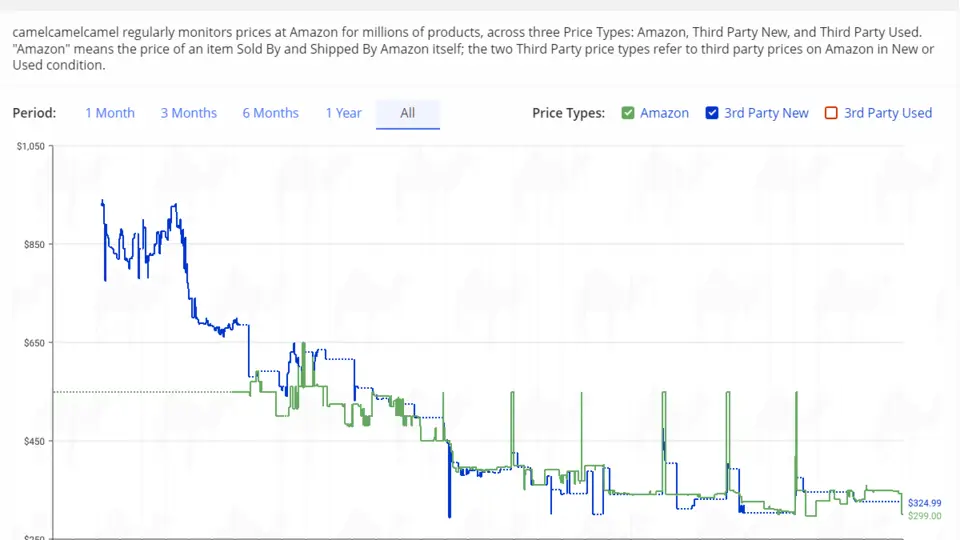
Limits: Dated interface and no support for other shopping sites.
Idealo
Pros: A well-known price comparison site that, for many products, shows a chart of price changes over recent months.
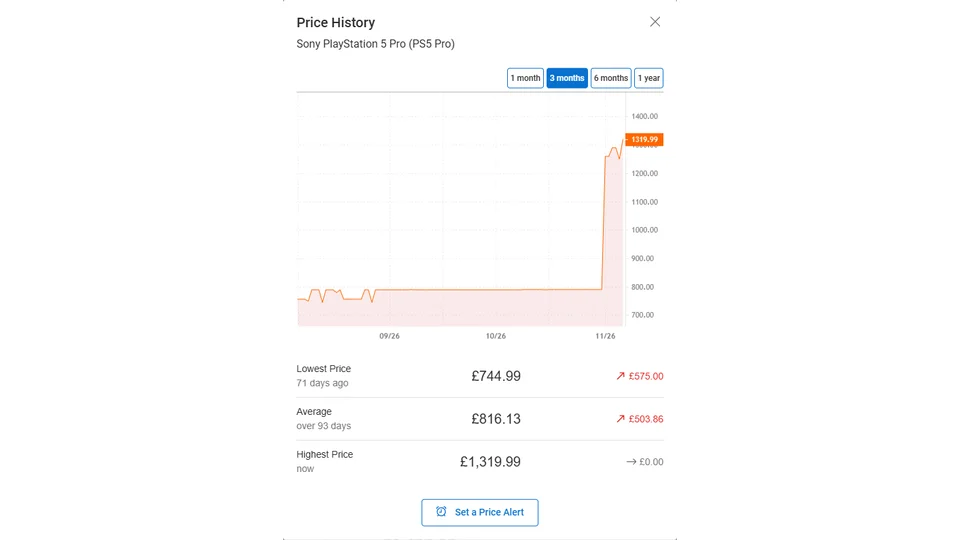
Limits: Focuses primarily on retailers listed on Idealo. It doesn't provide comprehensive tracking of private classifieds, individual auction listings or second-hand marketplaces.
What to look for when choosing a tool
Prioritize how many sites are covered, how long history is kept, and whether you get alerts on price changes.
Before you pick a solution, ask yourself:
- Where do you shop most? Amazon-only → Keepa may be enough. Mixing eBay, Gumtree, AutoScout24 or electronics shops → one universal tool like AuctionMate is more convenient.
- How much history do you need? Prefer tools that show several months — that helps catch artificial hikes before sales.
- Will it notify you? Checking pages by hand gets tiring. Alerts on every price change help you catch the right moment to buy.
- Convenience. The best tool works in the background and shows data clearly while you browse.
- Safety. For a browser extension, check its privacy policy and how it makes money. Also check whether it rewrites listing links or injects its own affiliate links. That can break cashback services and, in some cases, cost you the rebate you expected. AuctionMate does not touch offer links and takes no commission on your purchases.
Summary – which tool should you choose?
Choose Keepa if you buy only on Amazon, Idealo for a quick compare of big web shops, or AuctionMate if you want eBay, Amazon, Gumtree and AutoScout24 in one place.
Quick cheat sheet:
- Amazon only, and you want deep stats? Pick Keepa.
- Rough comparison across standard online shops? Idealo is enough.
- One shopping assistant for eBay, Amazon, Gumtree and AutoScout24, with price history and alerts without switching tools? Install AuctionMate.
Platform-specific price history guides
Want a step-by-step guide for a specific site?
Related articles
-
Article
Don't buy blindly – see if the price is rising or falling
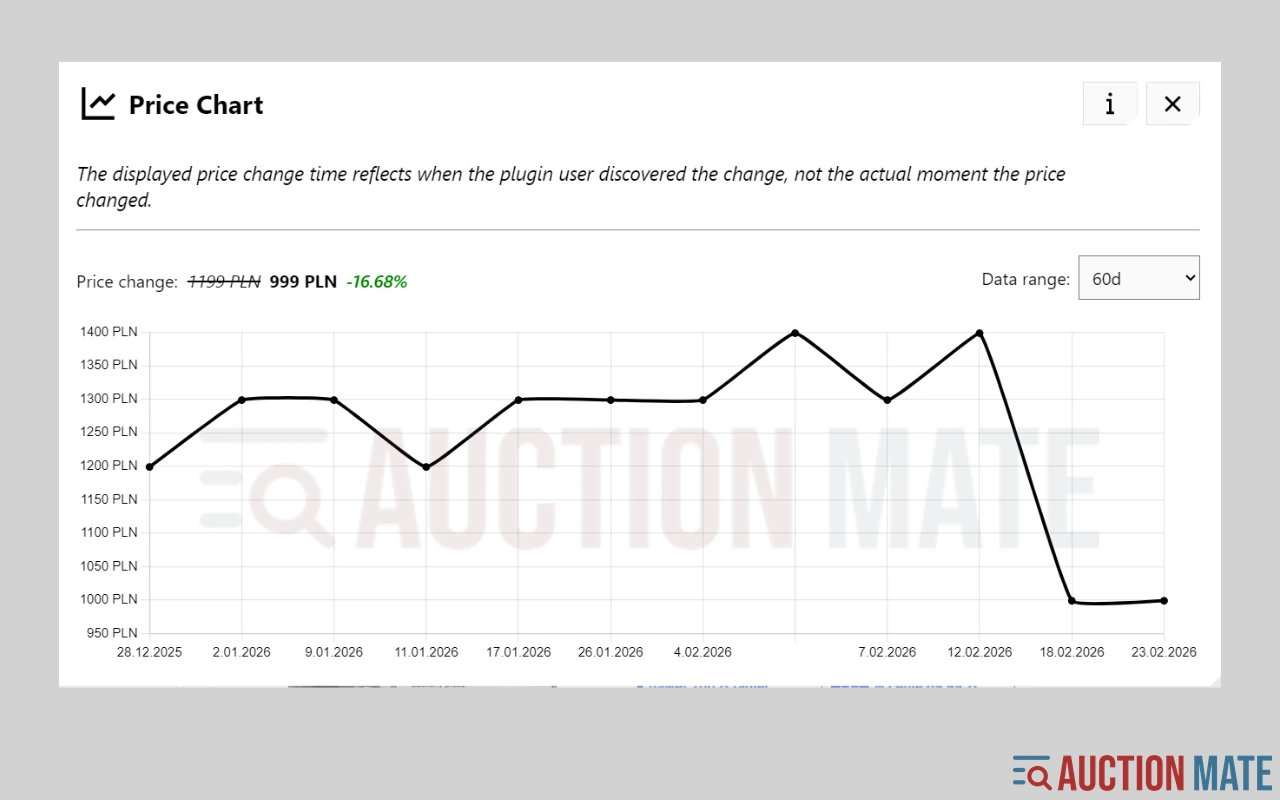
Don't overpay for online shopping. Check the 60-day price history, see the change chart, and find out if it's truly the lowest price.
-
Article
Discount or manipulation? How stores bypass Omnibus rules.
Are discounts really saving you money? Learn how stores manipulate pricing under Omnibus rules and why coupons and deals can be misleading.
-
Article
What platforms does AuctionMate support?
AuctionMate is a browser extension for many marketplaces like Amazon, eBay, Copart, and IAAI.


Other articles
-
Reseller tools: how to source for resale without overpaying
Listing price history before you offer, price change alerts and order across hundreds of listings a day — reseller tools that run in your browser.
-
Why Do You Keep Seeing the Same Listings?
Find out why you keep seeing the same listings and how to organize your browsing.
-
How to track used car prices on AutoScout24 and Gumtree
Buying a used car online? See 60-day price history on AutoScout24 and Gumtree car listings with AuctionMate — negotiate with data, not guesswork.
-
Is It Worth Waiting for a Property Price Drop?
We analysed ~64,000 listings on Otodom and Adresowo. For 14% with ≥3 prices, the last price in 60 days beats the first; average cut PLN 41,849.